When you click on links to various merchants on this site and make a purchase, this can result in this site earning a commission. Affiliate programs and affiliations include, but are not limited to, the eBay Partner Network.
I've tried to set the reverse camera from factory to aftermarket and back with no change.
Funny you should ask.
I just had that happen with my Joyeauto unit and all it took to fix was re-setting the DIP switches. With the unit's power harness disconnected, slide 'em all off, then all on, then all off, and then reset on/off as required.
I don't know what happens over time with those switches but it was an easy fix.
Last edited by cadetdrivr; Jul 29, 2021 at 04:28 PM.
Has anyone had any luck dealing with the call echo....
Nope.
It seems the easiest method is to simply use MB Bluetooth for calls. It plays nicely with CarPlay and one can make the selection (which is retained) on the iPhone's speaker selection during a call.
Edit: (April 29, 2021) Forum member A-a-ron212 created an install video on his Bucks Garage YouTube channel that summarizes the install on his 2012 E550 with NTG 4.5.
Edit: (June 20, 2020) After using a next-gen box (Road Top) for a few weeks I would no longer recommend purchasing the current Joyeauto hardware. The new units are much easier to install and are more refined in operation.
These units are available from several sources and also appear to be identical hardware.
In no particular order they are available from:
Road Top (via aliexpress, here's the post about the unit I purchased) or Amazon.
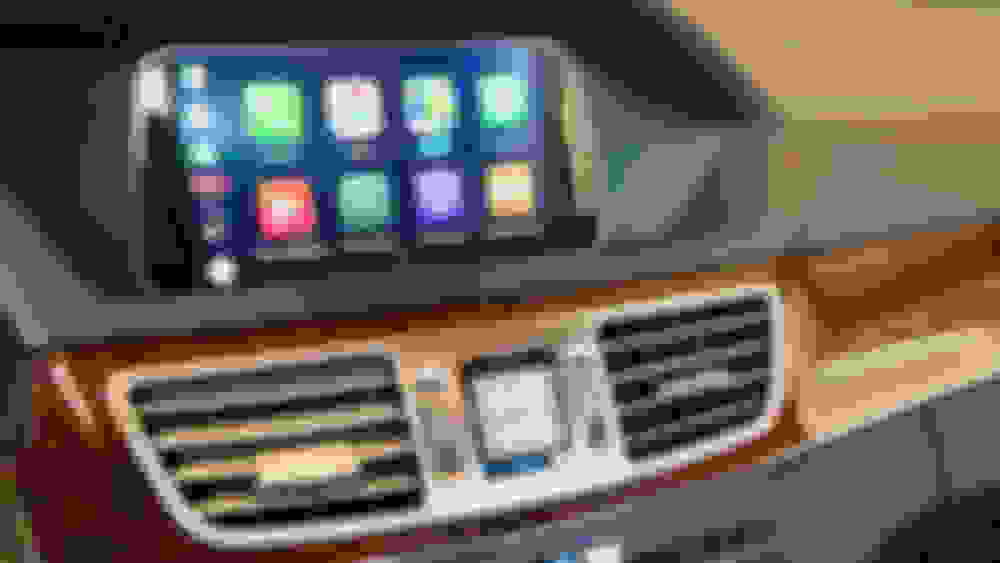
Here's a DIY for the install of a Joyeauto wireless CarPlay system for a W212 sedan. It will not include highly documented step-by-step instructions, but I have consolidated information from several sources that should enable a straighforward installation. I elected to install the unit on the upper shelf of the glovebox since I was not sure about its operation and was hesitant to install in a closed space not knowing in advance anything about its operating temperature. (Yea MB cooled glovebox!) I may move mine at a future point, but since I don't really use the glovebox I'm fine with it sitting in there for now. I'd love to know what other solutions folks use, but for now this DIY will focus on the glovebox.
I purchased the unit directly from Joyeauto and it was delivered in about a week via DHL with english pre-selected as default.
MB Comand still works normally, with easy switching between Comand and CarPlay
Plug-And-Play installation, no cutting or splicing
Wireless CarPlay (Good for short trips, you will still want to plug into power on long trips)
Cons:
Phone call quality not as good as the stock MB bluetooth
Weak instructions, other than a wiring schematic
Limited options on W212 for hidden installation
Tools Required:
Ratchet w/ T20 socket
Automotive trim tool removal set (plastic)
Pick tool
Electrical tape, zip ties, and fasteners as desired for installation
Joyauto Unit and included wiring
First off great post!
I actually purchased the the Roadtop unit. I'm an android user and wanted wireless connection. There are plenty of installation vids on YouTube to help you along. Having the proper tools to remove the dash components is a must. You will most likely break something otherwise. Even with the right tools you need to be careful. At the end of the day it's not very difficult to install. Follow the diagrams/install vids and you should be ok. The most annoying part is running the wires if you want a wired connection. Even though I go wireless I wanted the USB-C wire to be easily accessible and out of sight so I ran it to the armrest/center console. The control unit fit nicely out of sight above the glove compartment. The only complaint I have is you can't use the steering wheel controls. If someone knows of a fix for this please let me know
I have the same setup on my GL450 W166 where I use the star buttons to quickly access the 360 cameras. I currently do this by switching back to the NTG OEM screen by long pressing the back button then using the star button as usual. What i find annoying is the long press to get to switch between screens. I like your idea of getting to the 360 cameras quickly without needing to switch to reverse OR a quick short press to switch screens. Any luck finding a solution from vendor or otherwise?
just installed my Road Top BENZ2 unit and wanted to deactivate the Mercedes Voice Command. Went into engineering menu and my 7.7 only goes up to 15. Anybody else experience this?
UPDATE: was looking in the wrong place. Found it.
Last edited by cfp3; Aug 21, 2021 at 08:23 AM.
Reason: Issue resolved
Hi all, I've been happily using my CP unit for at least a year with no issues, until now.
Not sure what I pressed or changed, but my backup camera no longer overrides the Carplay when put it in reverse. Everything works as it should if I keep my phone from connecting.
I've tried to set the reverse camera from factory to aftermarket and back with no change.
Thoughts?
Originally Posted by cadetdrivr
Funny you should ask.
I just had that happen with my Joyeauto unit and all it took to fix was re-setting the DIP switches. With the unit's power harness disconnected, slide 'em all off, then all on, then all off, and then reset on/off as required.
I don't know what happens over time with those switches but it was an easy fix.
I've had this problem for 2 years on my 2015 W205 Comand unit, resetting the dip switches solves the problem for a few days and then it comes back.
Tried to resolve it with Joyeauto, but the timezone made it impossible to get any help.
I recently installed the BENZ2 unit and made the big misstake of not plugging in the usb/video cable, as I wanted to keep the installation as minimal as possible. I didn't research properly and assumed these units were older by now and wouldn't receive any updates anyway. The unit is placed behind the HU meaning updating the firmware will be a huge pain. Been plowing through this entire thread, and unfortunately, it seems to have down a bit just as it was getting good!
I'm on CUST Version V2.1.0.7.gpe.m4_2 (the version the unit was shipped with) and am pretty happy with it, but I do have two issues. I'm really hoping that someone on a newer firmware could help me verify this:
1: The Siri voice volume is much lower than the media volume. If I listen to Spotify or any other music app at a comfortable volume, then ask Siri something, e.g. "what time is it?", the response is barely audible. I can tell Siri to "speak louder" but even after it states it's at max volume, it's still feels to be at around half that of the media volume. I've read somewhere that the CarPlay specification groups the volume into 4 separate groups, something like media, voice, notifications/ringer and... maybe phone calls? However, in the BENZ2 settings, I've only got "Volume" and "Alternate volume", both ow which I keep at 17. "Alternate volume" doesn't seen to have any effect on anything, as far as I've been able to test. Maybe phone calls, which I haven't tried.
Is it at all possible that this is fixed in v3 that seems to have surfaced recently? Do you guys still only have the two volume options or four? How is the volume of the Siri responses for you, compared to the media volume?
Given how amazing it is to have Siri so seamlessly in the car, it being almost useless because of a trivial thing like too low volume is pretty heartbreaking.
I'm however very surprised no one in this thread has mentioned this, up until any potential recent fixes. If this is indeed a firmware issue, then surely more people would have noticed.
2: I've seen this mentioned several times in this thread, but my other issue is not being able to control music playback (basically just skip tracks) with any hardware buttons. If I'm in the Maps app for example, the rotary knob of course controls the map and the only way to simply skip the ongoing track is to either use Siri (which is slow if I want to skip multiple) or switch to the music app. Has there by any chance been any improvement on this front? Ideally, of course, the prev/next buttons on the HU unit itself should work, but given how the BENZ2 unit is connected, I'm assuming this would be impossible.
I'm on FW v3.2.0.4.gpe.m4_2 and can tell you I have about 4 volume options and 1 does control the volume of Siri and Speech from the maps, I have them all tweaked so essentially the volume is the same from the car radio, apple carplay music, siri, navigation etc...
With regards to the 2nd question the carplay unit cant control the hardware button for skipping tracks that I'm aware of.
2: I've seen this mentioned several times in this thread, but my other issue is not being able to control music playback (basically just skip tracks) with any hardware buttons. If I'm in the Maps app for example, the rotary knob of course controls the map and the only way to simply skip the ongoing track is to either use Siri (which is slow if I want to skip multiple) or switch to the music app. Has there by any chance been any improvement on this front? Ideally, of course, the prev/next buttons on the HU unit itself should work, but given how the BENZ2 unit is connected, I'm assuming this would be impossible.
Thank you so much in advance!
/Daniel
I believe it’s a CarPlay issue, as there’s no hardware button input that would trigger CarPlay to skip to next song while you’re in the Maps app.
The only way is to use the hybrid Maps view. This is where you still have the maps and also music panel. You can then rotate the knob to the next/previous buttons on the music panel and press the knob to make your selections. I use this mode most of the time if I’m skimming thru music playlists.
Spent like 5 hours working on this thing. And I test it to see if it works and I get the screen on but it doesn't even recognize my phone. The USB is working because it starts to charge but it doesn't fire up the android auto.
Then I get the HAZARDS MALFUNCTION error message and the car is stuck in ECO mode. Such a waste of time and money.
I'm on FW v3.2.0.4.gpe.m4_2 and can tell you I have about 4 volume options and 1 does control the volume of Siri and Speech from the maps, I have them all tweaked so essentially the volume is the same from the car radio, apple carplay music, siri, navigation etc...
With regards to the 2nd question the carplay unit cant control the hardware button for skipping tracks that I'm aware of.
I will describe my adventures with roadtop carplay for the w176 model from 2014. The radio is audio20 cd. No aux connector. I eliminated this problem with this OBD device:
Thanks to this, there was an option to select aux in the radio.
I placed the roadtop box next to the cabin air filter, it is a perfect place there, which gives access to cables.
Everything works great. I did not connect the audio cable from the ankle box to the radio from the OBD kit. I wonder if if I did it, it would appear thanks to google maps when I listen to the original radio in the car. Now the sound is just like I set the aux on the radio.
Hi firstly thanks for all the help on this post, it has been really helpful in installing something like this for the first time.
I have managed to get everything working including CarPlay and AirPlay but unfortunately no audio. I have tried all the suggestions configuring MOST, turning on Aux etc using the engineering menu but still no solution. I have ensured the optical cables have been transferred to the new harness and followed all the instructions on selecting aux on the audio input.
Can anyone help to suggest a solution as the audio is the only remaining issue to complete the installation? Thanks in advance for any help you can offer
Do you have an external AUX port that you are plugging the audio cable into in the center console? or are you relying on the audio through the wiring harness in the back of the head unit?
I had to use the external audio cable and connect the ground wire to a bolt to get the audio to work correctly as the audio through the wiring harness just wouldn't work for me.
For my solution I had to disable the AUX settings in the MOST settings page as I was connecting the external cable to the MUX port in my center console, but if you want the audio to work through the wiring harness you need to have it enabled.
That’s right I’ve connected to audio rather than radio or Bluetooth. Im relying on the harness wiring and optical cable movement, when you mention about the grounding etc please could you clarify what you did and also for the external aux connection? Ideally I don’t want to have to connect to the armrest MMI as it means more wires and an adapter to ensure a neat finish, is there a way to avoid this?
I'd like to share some info.
I have 2012 S212 with NTG4.5 COMAND.
I bought Carplay module from AliExpress.
It looks exactly the same as Road Top from the posts above.
Installing everything I didn't get the sound with AUX, even connecting AUX plug to the plug at the center armrest which my car has.
Bluetooth worked fine.
I tried to find the way to make AUX works.
So it was the wrong wiring pinout issue from the chinese factory.
I had black wire connected to pin 12 of the main plug at the module. And wtis wire had another end free.
So you should remove it.
Then remove the wire from pin 23 (AUX ground) and put it to pin 12.
Now you have AUX sound without any connections.
I hope it helps.
That’s right I’ve connected to audio rather than radio or Bluetooth. Im relying on the harness wiring and optical cable movement, when you mention about the grounding etc please could you clarify what you did and also for the external aux connection? Ideally I don’t want to have to connect to the armrest MMI as it means more wires and an adapter to ensure a neat finish, is there a way to avoid this?
For me I used the MMI as the audio from the harness was too soft, the ground cable is on the wiring harness and and should be black and part of the 3.5mm jack part of the harness, I don't believe you need to connect ground if you are not using the external MMI, but it can't hurt to connect it
Otherwise see the post about the pin-out being wrong but this is the 1st time I seen that on this forum.
Mercedes SLR McLaren 722 S Is Extremely Rare Example Modified by McLaren
Slideshow: A one-of-one U.S.-spec Mercedes-Benz SLR McLaren Roadster became even rarer after a factory-backed transformation at McLaren's headquarters.