When you click on links to various merchants on this site and make a purchase, this can result in this site earning a commission. Affiliate programs and affiliations include, but are not limited to, the eBay Partner Network.
Installed the newest ultra thin 12.3” Android screen and touchpad
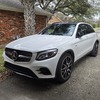
Bought a 2019 GLC back in late 2018 as a gift to my mom. Folks are almost 80, dad stopped driving. Just mom. I then bought the 2020 with MBUX OS, had a couple of years and sold it. Felt too small. But loved the OS.
Every time driving my folks car, less than 15k after 6 years- just feels the tech is dated.
After further research and decided to upgrade their screen so my dad could use Apple CarPlay to navigate for mom while she drives. Even though NTG 5.0 had navigation, but let’s face face it, it’s clunky and not user friendly. I custom ordered the car and loaded it with tech, HUD, 360 camera, Bermester audio (so no CarPlay), AMG pkg, Lane assist, distronic... really everything I would use but my mom asked to turn everything off.
Anyway did some research and got the latest 12.3 ultra screen with narrower bezel. It is also thinner profile, closer to the dashboard. Also purchased a DSP supposedly would eliminate sound delay (but no way my parents would be watching video) - but the plus with a DSP is you don’t need to hook up to the AUX input USB in the center storage. You would route it to the back of the car instead. I installed this, spent about 2 days taking my time. Since my folks are on a 2 months trip out of the country, thought I’d surprise them once they return. So went to their house and took their car.
first impression, it’s super fast. Car goes immediately to Apple CarPlay as soon as you start the car. Everything works.
cons so far:
1. The screen given its glass and darker black. Even though it’s call “anti reflective screen” - it’s like a mirror. During day time it reflects A LOT. Would like others to chime in if you all experience reflection more with the aftermarket Android screens.
2. Because of it, I’d increase the brightness, but then notice the “lighter”’part of the display, it would flicker. Especially when using Google Map in CarPlay. So I decrease the brightness to 50%. Totally fine during the night or when it’s not so bright inside the car. But the flickering is annoying. Does anyone experience that? Flickering does not happen during OEM pass though mode. Just when running Android.
3. Touchpad. You can now replace the rotary to MBUX touch pad style. It don’t do hand writing nor the pinch function. But those aren’t really needed. One adjustments don’t seem to work, at least I haven’t figure out how. When adjusting the Bermester equalizer, when swiping down it lands in the Midrange knob, then swiping left and right only adjust the knob, could advance to treble and bass. When in fader and balance, it can only adjust balance, but not fader. Swiping up and down just takes it out of the adjustment menu.
overall satisfied. Just those few annoying things like flickering when it’s display is set brighter than 30%. I keep it at 50% because 30 to me is too dark. So experiencing flickering.
i can give you advice to install. Really isn’t too bad. Plenty of videos on umYouTune. I would suggest uninstall the glove box (there is a video). Much easier to route the cables that way vs some other methods shown on YouTube.
happy to take a bunch of pics later. It’s late, and I’m too lazy to go out to the garage.
Bought a 2019 GLC back in late 2018 as a gift to my mom. Folks are almost 80, dad stopped driving. Just mom. I then bought the 2020 with MBUX OS, had a couple of years and sold it. Felt too small. But loved the OS.
Every time driving my folks car, less than 15k after 6 years- just feels the tech is dated.
After further research and decided to upgrade their screen so my dad could use Apple CarPlay to navigate for mom while she drives. Even though NTG 5.0 had navigation, but let’s face face it, it’s clunky and not user friendly. I custom ordered the car and loaded it with tech, HUD, 360 camera, Bermester audio (so no CarPlay), AMG pkg, Lane assist, distronic... really everything I would use but my mom asked to turn everything off.
Anyway did some research and got the latest 12.3 ultra screen with narrower bezel. It is also thinner profile, closer to the dashboard. Also purchased a DSP supposedly would eliminate sound delay (but no way my parents would be watching video) - but the plus with a DSP is you don’t need to hook up to the AUX input USB in the center storage. You would route it to the back of the car instead. I installed this, spent about 2 days taking my time. Since my folks are on a 2 months trip out of the country, thought I’d surprise them once they return. So went to their house and took their car.
first impression, it’s super fast. Car goes immediately to Apple CarPlay as soon as you start the car. Everything works.
cons so far:
1. The screen given its glass and darker black. Even though it’s call “anti reflective screen” - it’s like a mirror. During day time it reflects A LOT. Would like others to chime in if you all experience reflection more with the aftermarket Android screens.
2. Because of it, I’d increase the brightness, but then notice the “lighter”’part of the display, it would flicker. Especially when using Google Map in CarPlay. So I decrease the brightness to 50%. Totally fine during the night or when it’s not so bright inside the car. But the flickering is annoying. Does anyone experience that? Flickering does not happen during OEM pass though mode. Just when running Android.
3. Touchpad. You can now replace the rotary to MBUX touch pad style. It don’t do hand writing nor the pinch function. But those aren’t really needed. One adjustments don’t seem to work, at least I haven’t figure out how. When adjusting the Bermester equalizer, when swiping down it lands in the Midrange knob, then swiping left and right only adjust the knob, could advance to treble and bass. When in fader and balance, it can only adjust balance, but not fader. Swiping up and down just takes it out of the adjustment menu.
overall satisfied. Just those few annoying things like flickering when it’s display is set brighter than 30%. I keep it at 50% because 30 to me is too dark. So experiencing flickering.
i can give you advice to install. Really isn’t too bad. Plenty of videos on umYouTune. I would suggest uninstall the glove box (there is a video). Much easier to route the cables that way vs some other methods shown on YouTube.
happy to take a bunch of pics later. It’s late, and I’m too lazy to go out to the garage.
Hmmm that actually looks decent. All vehicles functions working?
Hmmm that actually looks decent. All vehicles functions working?
Everything works!
Even figured out how to navigate the Equalizer, Fader/Balance situation on the touchpad this morning. I'll post a video and show.. Essentially need to use the "top section" of the touch pad to toggle between Treble, Midrange, and Bass. Don't depress the pad, just touch the left side of the arrow and hold for a brief second, it will toggle to Treble from center. Same thing with adjusting for Bass, touch and hold to the right of the right arrow, don't press down, and it will toggle to Bass. Then use the lower part of the pad to swipe left or right to adjust.
Same thing with adjusting the balance, use the top portion of the pad to touch and hold left and touch and hold right, the balance will shift. for fader, use bottom portion of the pad and swipe left and right.
All is well. This really modernize the UI experience overall. I'm not sure if I'm supposed to share which vendors I bought from.
$590 for the latest gen of ultra thin screen
$110 for the DSP - because I have Bermester, there is a cheaper one for non Bermester.
$120 for the touchpad
$20 for ancillary items like fuse tap DSP power and ground, some sticky 3M pads to seccure the DSP..
Everything works!
Even figured out how to navigate the Equalizer, Fader/Balance situation on the touchpad this morning. I'll post a video and show.. Essentially need to use the "top section" of the touch pad to toggle between Treble, Midrange, and Bass. Don't depress the pad, just touch the left side of the arrow and hold for a brief second, it will toggle to Treble from center. Same thing with adjusting for Bass, touch and hold to the right of the right arrow, don't press down, and it will toggle to Bass. Then use the lower part of the pad to swipe left or right to adjust.
Same thing with adjusting the balance, use the top portion of the pad to touch and hold left and touch and hold right, the balance will shift. for fader, use bottom portion of the pad and swipe left and right.
All is well. This really modernize the UI experience overall. I'm not sure if I'm supposed to share which vendors I bought from.
$590 for the latest gen of ultra thin screen
$110 for the DSP - because I have Bermester, there is a cheaper one for non Bermester.
$120 for the touchpad
$20 for ancillary items like fuse tap DSP power and ground, some sticky 3M pads to seccure the DSP..
Sense of accomplishment - priceless
Very nice, all in all looks like a good upgrade, thanks for posting and sharing.
Good job on the installation, I also recommend replacing the piano gloss with some wood : )
it’s wood… too dark at works parking garage :-). Thank you!
Tips and tricks to help those that are interested.
1. Plenty of videos out there for DIY.
2. Prying off center speaker panel, use prying tool to start but then to get ur fingers in there to pry as a whole.
3. Pull door seal off to pull off A pillar cover (remove SRS plastic cover/it acts like a clip first)
4. Pull off then the side panel next to the glove box.
5. Remove panel under glove box. There is a plastic “hook” back there, painful.
6. Remove glove box.
Routing cables become SOOOOO much easier.
7 removing the center screen - trying to pinpoint your T-20 driver to those 2 securing screws- not sure how the f every video did that with ease…umm it was hard to “find/pin point” the right spot. Be patient. Turn iPhone on video mode to turn on flash helped viewing from phone. Stick your head am with one eye looking into the hole to place the T20 also was a must. Those screws were also super tight.
8. (installing DSP) pulling of the back seat just need some brute force yanking to dislodge the front part of the seat. Then push in and release the rear end of the seat.
9. (Installing DSP) Pull out the contoured cover to expose the truck cavity is easy. Just pull down around the edges where the cover edges are tucked under.
10. I tucked the GPS antenna just above where the a pillar cover meets the roofliner on the passenger side. Same thing with 4G antenna, double taped at the bottom portion of the a pillar behind the airbag. Honestly, no one is going to pay $20/month to put in a sim card to use is as a 4G Android tablet. We are all just gonna use our phone for CarPlay and Android auto. The glad and 4G antenna will never be utilized since we are using the Android natively.
11. There is an optional speaker which I did install. Double taped it on an aluminum beam behind the glove box. According to selling things in case I’m am running some Android driven app where sound is piped through the MB OEM speakers meanwhile your are using the Android google map for directions. -and navigation voice will then be diverted to that separate speaker. Chances of that happening- NEVER. But I followed his instruction like a sheep.
12. There are pre cut holes in the back of your glove box, I did snip one off to pull in a couple of USB cables that came with the unit. One goes to the back of the screen, one as part of the harness. One is for “wired” Apple CarPlay function to connect ur phone. The other is more connecting say a USB storage stick for movies probably. Wireless USB is already available, so probably will never use either, but thought this make the install super clean.
it’s wood… too dark at works parking garage :-). Thank you!
Tips and tricks to help those that are interested.
1. Plenty of videos out there for DIY.
2. Prying off center speaker panel, use prying tool to start but then to get ur fingers in there to pry as a whole.
3. Pull door seal off to pull off A pillar cover (remove SRS plastic cover/it acts like a clip first)
4. Pull off then the side panel next to the glove box.
5. Remove panel under glove box. There is a plastic “hook” back there, painful.
6. Remove glove box.
Routing cables become SOOOOO much easier.
7 removing the center screen - trying to pinpoint your T-20 driver to those 2 securing screws- not sure how the f every video did that with ease…umm it was hard to “find/pin point” the right spot. Be patient. Turn iPhone on video mode to turn on flash helped viewing from phone. Stick your head am with one eye looking into the hole to place the T20 also was a must. Those screws were also super tight.
8. (installing DSP) pulling of the back seat just need some brute force yanking to dislodge the front part of the seat. Then push in and release the rear end of the seat.
9. (Installing DSP) Pull out the contoured cover to expose the truck cavity is easy. Just pull down around the edges where the cover edges are tucked under.
10. I tucked the GPS antenna just above where the a pillar cover meets the roofliner on the passenger side. Same thing with 4G antenna, double taped at the bottom portion of the a pillar behind the airbag. Honestly, no one is going to pay $20/month to put in a sim card to use is as a 4G Android tablet. We are all just gonna use our phone for CarPlay and Android auto. The glad and 4G antenna will never be utilized since we are using the Android natively.
11. There is an optional speaker which I did install. Double taped it on an aluminum beam behind the glove box. According to selling things in case I’m am running some Android driven app where sound is piped through the MB OEM speakers meanwhile your are using the Android google map for directions. -and navigation voice will then be diverted to that separate speaker. Chances of that happening- NEVER. But I followed his instruction like a sheep.
12. There are pre cut holes in the back of your glove box, I did snip one off to pull in a couple of USB cables that came with the unit. One goes to the back of the screen, one as part of the harness. One is for “wired” Apple CarPlay function to connect ur phone. The other is more connecting say a USB storage stick for movies probably. Wireless USB is already available, so probably will never use either, but thought this make the install super clean.
Ah I see, sorry about that, so it is the high gloss wood trims : )
The "flickering" is disappionting. Sounds like they used a cheap LCD screen which uses PCM for dimming, instead of the better method of reducing the brightness of the backlights.
I've had some success installing matte screen covers on glossy screens... but it takes patience to cut them to size, and also to try to remove dust from the screen before installing.
The "flickering" is disappionting. Sounds like they used a cheap LCD screen which uses PCM for dimming, instead of the better method of reducing the brightness of the backlights.
I've had some success installing matte screen covers on glossy screens... but it takes patience to cut them to size, and also to try to remove dust from the screen before installing.
Thank you for educating me on dimming methods. I had thought maybe it’s the refresh rate. I installed this “Screen Refresh Rate Tools - Hz” GooglePlay app this morning, was hoping to potentially change the refresh rate since this issue mimics when the refresh rate of a computer monitor is not set correctly. Like when our native vision can “catch” the screen refresh. No luck. The app showed this screens refresh rate is at 60 Hz. The options to refresh to 90 or 120 Hz say “were not supported by this device.”
See YouTube link attached. I bought from Hifimax. Seller- Paul was very helpful before the purchase and after the purchase. Answered a lot of questions. He has asked that I take a video to show him the flickering so he can show it to his engineers to research the issue. However, when recording using my phone, the video does not show the flickering vs under native eye/vision.
i had planned to get a 10.25 in one since AI thought the 12 in was too big. Then this thin one came out, looked so much better as you can see in his video.
I will look into the matte finish screen cover solution. Thank you for the suggestion.
I will look into the matte finish screen cover solution. Thank you for the suggestion.
Ordered from Amazon a matte-finished MacBook Pro 16 in 2 pack screen protector. Cut to size using paper cutter. Used masking tape to trace out corners and cut with scissors. 2/4 corners looked janky. Good enough. I learned installing screen protectors watching some master installers overseas years ago overseas. They always taped the protectors along one edge to fit. flipped over, clean the crap out of the screen. Peel back the backing and flip it back and voila! No lent, bubbles or nothing.
Glare/reflection gone! Thank you! White background pulsing/flickering- still there. But I think I will leave it along and manage. It’s not like I’m staring at it all the time. Usually just keep it in CarPlay main menu in dark mode- so no issues. I did ask the seller to check other units to see if mine is defective or it’s a design flaw given the thinner profile. Good for now.
Glare/reflection gone! Thank you! White background pulsing/flickering- still there. But I think I will leave it along and manage. It’s not like I’m staring at it all the time. Usually just keep it in CarPlay main menu in dark mode- so no issues. I did ask the seller to check other units to see if mine is defective or it’s a design flaw given the thinner profile. Good for now.
I mistyped either- the method i suspect is being used is "PWM" i.e. "pulse width modulation".
Just out of curiosity: does the flickering go away if you raise the brightness to 100%? If the flickering remains ,then it would suggest there's a different cause than my suspicion.
I mistyped either- the method i suspect is being used is "PWM" i.e. "pulse width modulation".
Just out of curiosity: does the flickering go away if you raise the brightness to 100%? If the flickering remains ,then it would suggest there's a different cause than my suspicion.
Flickering was getting worse when screen set to 100%. I say WAS - because the flickering seemed to have disappeared last week. I have the brightness set at 80%. I don’t know why…. And I don’t want to anger the flickering god anymore… so didn’t want to touch any settings to upset her.
The only thing I did was to put on some fabric heat tape to secure the cabling that goes all the way back to the Burmester amp in the back of the trunk. I had installed the DSP option and heard the harness moving around a bit. So kinda taped everything down back there. I’m sure they are not related.
i do need to install the external mic. When using CarPlay on the phone, the recipient on the other end can hardly hear me when I am talking unless I am stationary. The built in mic picks up too much noise and I sound far away. But when adjusting the mic gain down, was told I sounded like I am in a closet.
i do need to install the external mic. When using CarPlay on the phone, the recipient on the other end can hardly hear me when I am talking unless I am stationary. The built in mic picks up too much noise and I sound far away. But when adjusting the mic gain down, was told I sounded like I am in a closet.
That kind of stuff is why I did not install an aftermarket unit. Everyone says the built-in microphone sounds great when I am connected to bluetooth. It's, at best, a giant inconvenience to have to install additional hardware just to get back stock functionality.
[...] Anyway did some research and got the latest 12.3 ultra screen with narrower bezel. It is also thinner profile, closer to the dashboard. Also purchased a DSP supposedly would eliminate sound delay (but no way my parents would be watching video) - but the plus with a DSP is you don’t need to hook up to the AUX input USB in the center storage. You would route it to the back of the car instead. I installed this, spent about 2 days taking my time. Since my folks are on a 2 months trip out of the country, thought I’d surprise them once they return. So went to their house and took their car.
Very interesting post, thanks. I'm also looking at this slim 12.3" size android screen for my 2017 GLC 43 AMG, but I only want to use it for Carplay.
Could you perhaps run a little test and see how many seconds it would take from screen start until the Carplay screen is visible and up and running? I ask because in my previous car (2007 W204) I also had an Android screen built in and it nearly took a minute for the entire booting process to finish which (at leats to me) was quite annoying (I didn't use Carplay at that time). If possible I would bypass the 'Android section" entirely and go straight into Carplay (not sure if ZLink would support that though).
How's the sound quality compared to the OEM setup prior to the installation of the Android screen? I assume by using the DSP module you use AUX for sound instead of Bluetooth?
Considering this vs 10.25. Does it look a bit too big overall? It looks like it from your pictures. I'd hate tho have to return it later and get charged 2 way shipping. So I'm trying to make sure it's the one I want.
I installed a screen just like this one in my 2018 GLC 43 AMG and I've been using it for about a month. I didn't order it from the same place, but I'm sure it's pretty much the same screen. I got the DMP screen from Accessories International in Miami. Very good vendor to deal with.
If you only care about Android Auto and CarPlay, they just started coming out with these screens that run Linux and all they do is AA/CarPlay. I've heard that they boot a lot faster and work very well. If I had known about them before I ordered the Android screen, I would have gone with one of them instead. They are significantly cheaper.
I didn't install the speaker or the GPS antenna. I only use Android Auto/CarPlay and those devices don't do anything for you in that situation. Accessories International doesn't even recommend installing them. I ran the wires up through the middle of the dash like they do in the videos. It's a pain in the *** but not too bad once you get a good fishing tool figured out. The various install videos show the person being able to disconnect the A/C vents to give you more room, but I could never get it to work. I might have just been too afraid to break something.
You are right about the torx screws on the top to remove the screen. The videos make it look so easy but it is actually really tough. You need a good, thin, T-20 screwdriver and it MUST be magnetic for when you screw in the new screen. The OEM screen has retainers for the screws so it's easy to get them out, but the Android screen doesn't. If you don't have something that holds the screw while you try to drop it into the spot, you are going to have a bad time. I ended up losing two screws in the dash before I broke down and went out and bought a magnetic driver. Also, if you are a bigger person, it is going to be extra tough. You really need to jam yourself up against the windshield and get your head to a spot where you can see into the speaker cavity. Seriously, if you have a small kid that can handle it, it wouldn't be a bad idea. I wore a headlamp to try to get some light down there and that also helped a lot. If you don't have that, another person with a flashlight would probably do the trick.
For the sound, I unlocked the Aux function on my car using one of those OBD dongles, so I was able to just plug the male aux cord into the female jack on the wiring harness and I get sound once I set the OEM interface to Aux. It sounds fine to me. The screen also supposedly is able to unlock the Aux input for you but I wasn't aware of that and bought the dongle before I got the screen.
While I really like the screen in general, it isn't without its quirks. I also have some flickering on my screen. It is only present in a particular section of the screen and I think it might be heat related. I live in a very hot climate so I'm pretty worried about what's going to happen in the summer. I'm half expecting for the screen to just die one day after sitting in the sun all day when it's 110 degrees F. When playing audio on the Android side, it stops playing when switching into the OEM mode. I don't do that very often so it's not a big deal, but it's definitely a quirk. And, I think most would expect this, doing things that normally cause something to pop up on the screen, like changing the drive mode, don't show anything on the Android screen. That's actually the most annoying thing to me and if I ever switch back to the OEM screen, that will probably be the reason. I also have been told that phone calls through it have a lot of echo, and that is a common complaint with these screens. I don't talk on the phone in the car very much so it's not a big deal to me but I can totally see that being a dealbreaker for some as I know some people are big phone talkers while driving.
Another big quirk is that after shutting the car off, the screen stays powered on for a while. The screen itself turns off, but the internals still run. My driveway is close to my house, so when I am in the part of the house nearest the driveway, my phone keeps connecting to the car and Android Auto keeps popping up. That goes on for about an hour or two before it finally stops. It's a minor annoyance but it's still pretty annoying.
Someone asked about the boot time to get into the full CarPlay interface. I have the newer version of the screen with the new chipset. I use Android Auto but I assume it's about the same. From ignition on to being in Android Auto takes about 20-30 seconds. If you do a lot of short trips, the screen won't fully shut down (as mentioned in the previous paragraph) and it starts up almost instantly. I'm actually kind of worried about what that is doing to the battery but it's nice not to have to wait for the screen to boot up when running errands and getting in and out of the car.
Finally, if you have one of these screens, you can get info about updates from here. This site doesn't actually host the updates, but it links to the forum thread on the BMW forum where you can download them. Make sure you download the right one. I have the M700 model. These screens are all the same so you don't need to worry about downloading from a BMW site. I have done this and it worked fine.
Considering this vs 10.25. Does it look a bit too big overall? It looks like it from your pictures. I'd hate tho have to return it later and get charged 2 way shipping. So I'm trying to make sure it's the one I want.
I have the 12.3" screen and I don't think it looks too big at all. I don't think you can go wrong either way. Just make sure you get the latest version of the screen with the Snapdragon 685 chip. Supposedly the performance upgrade is pretty significant.
I have the 12.3" screen and I don't think it looks too big at all. I don't think you can go wrong either way. Just make sure you get the latest version of the screen with the Snapdragon 685 chip. Supposedly the performance upgrade is pretty significant.
Thank you. Ended up ordering the 12.3 snapdragon 685. I really hope it isn't too big like you mentioned. But I did buy from aliexpress so if im not satisfied I can still return.
Thank you. Ended up ordering the 12.3 snapdragon 685. I really hope it isn't too big like you mentioned. But I did buy from aliexpress so if im not satisfied I can still return.
sorry, I haven’t visited my post in a while. Oh boy lots of auto correct on my spelling and I guess I never bothered to read what I was typing afterwards…. Lots of words got replaced with words that don’t make sense. Yes it’s big but I don’t think it’s “that” big. The new thinner profile one sits lower and more flush to the dashboard so you will like it. I promise.
one trick about holding the screw in place with your T-20 if yours is not magnetic, mine wasn’t: put your T-20 align with the screw all together, then cut like a 4 in long black electrical tape, center tape strip so it’s 2 in on each side, then punch through the screw and screw driver through the center of the tape— through the sticky side. Then wrap the tape around the shaft of the screw driver, then voila your screw+screw driver are held together for you to lower them into the hole to secure it. Once you’re done securing the screw just pull the screw driver out and the screw is released from the tape. Hopefully I explained it well…. Essentially taping the screw to the tip of the screw driver.
sorry, I haven’t visited my post in a while. Oh boy lots of auto correct on my spelling and I guess I never bothered to read what I was typing afterwards…. Lots of words got replaced with words that don’t make sense. Yes it’s big but I don’t think it’s “that” big. The new thinner profile one sits lower and more flush to the dashboard so you will like it. I promise.
one trick about holding the screw in place with your T-20 if yours is not magnetic, mine wasn’t: put your T-20 align with the screw all together, then cut like a 4 in long black electrical tape, center tape strip so it’s 2 in on each side, then punch through the screw and screw driver through the center of the tape— through the sticky side. Then wrap the tape around the shaft of the screw driver, then voila your screw+screw driver are held together for you to lower them into the hole to secure it. Once you’re done securing the screw just pull the screw driver out and the screw is released from the tape. Hopefully I explained it well…. Essentially taping the screw to the tip of the screw driver.
Mercedes SLR McLaren 722 S Is Extremely Rare Example Modified by McLaren
Slideshow: A one-of-one U.S.-spec Mercedes-Benz SLR McLaren Roadster became even rarer after a factory-backed transformation at McLaren's headquarters.