When you click on links to various merchants on this site and make a purchase, this can result in this site earning a commission. Affiliate programs and affiliations include, but are not limited to, the eBay Partner Network.
I just purchased and installed the latest Android 12 8GB/256GB android unit from Mekede / Navifly. To say that I'm underwhelmed is an understatement.
First, as we all have seen, virtually none of the Chinese systems come with any sort of instructions.
After removing the original OEM screen, you reuse one of the plugs for the LVDS connection; you remove the fiber optic cables and plug them into their piggyback harness. The unit comes with its own separate speaker, MIC connection, etc.
While the box comes nicely packaged, again, there isn't a single installation video, set of instructions, NOTHING. So for the less able user, this is not an easy install - and I would recommend other vendors that have better documented solutions. Now to the meat of it:
- What CANBUS version to select under the systems menu? While the code to get into engineering mode is 1314, there is nothing that tells me what version of CANBUS to enter. Any help would be welcome.
- None of the CANBUS displays work - not speed, not anything else. Sure, there are screens that would tell you speed, RPM, etc...but none of them are receiving any input.
- The GPS signal is entirely confused. THE PASS THROUGH DOESN'T WORK. While this is supposed to be a passthrough device for the OEM GPS, there is no real time usable OEM GPS from the original COMAND system. Sure, the screen is there, but it doesn't display your real live location. It's delayed, it lags and it simply doesn't work.
- While at first APPLE IPHONE as a system was apparently live mirroring, once the carplay SEED installed, that was it - no live mirroring.
- The SIM card reception is entirely intermittent to the point of uselessness
- The joystick doesn't work
- If you select the wrong GPS enablement button, you're stuck in one of the android screens unable to go back to the NTG screen
None of the individuals at Navifly / Mekede support listed on their Chinese page reply - not by phone, not by email, not by QQ, What's app, etc.
So in my opinion, this was a well wasted amount of money - some of the other vendors that provide solutions earn their salt by troubleshooting these issues, providing better documentation, etc.
If any of you can help who had experience installing these android boxes could lend some advice, I'd appreciate it.
I just purchased and installed the latest Android 12 8GB/256GB android unit from Mekede / Navifly. To say that I'm underwhelmed is an understatement.
First, as we all have seen, virtually none of the Chinese systems come with any sort of instructions.
After removing the original OEM screen, you reuse one of the plugs for the LVDS connection; you remove the fiber optic cables and plug them into their piggyback harness. The unit comes with its own separate speaker, MIC connection, etc.
While the box comes nicely packaged, again, there isn't a single installation video, set of instructions, NOTHING. So for the less able user, this is not an easy install - and I would recommend other vendors that have better documented solutions. Now to the meat of it:
- What CANBUS version to select under the systems menu? While the code to get into engineering mode is 1314, there is nothing that tells me what version of CANBUS to enter. Any help would be welcome.
- None of the CANBUS displays work - not speed, not anything else. Sure, there are screens that would tell you speed, RPM, etc...but none of them are receiving any input.
- The GPS signal is entirely confused. THE PASS THROUGH DOESN'T WORK. While this is supposed to be a passthrough device for the OEM GPS, there is no real time usable OEM GPS from the original COMAND system. Sure, the screen is there, but it doesn't display your real live location. It's delayed, it lags and it simply doesn't work.
- While at first APPLE IPHONE as a system was apparently live mirroring, once the carplay SEED installed, that was it - no live mirroring.
- The SIM card reception is entirely intermittent to the point of uselessness
- The joystick doesn't work
- If you select the wrong GPS enablement button, you're stuck in one of the android screens unable to go back to the NTG screen
None of the individuals at Navifly / Mekede support listed on their Chinese page reply - not by phone, not by email, not by QQ, What's app, etc.
So in my opinion, this was a well wasted amount of money - some of the other vendors that provide solutions earn their salt by troubleshooting these issues, providing better documentation, etc.
If any of you can help who had experience installing these android boxes could lend some advice, I'd appreciate it.
I just purchased and installed the latest Android 12 8GB/256GB android unit from Mekede / Navifly. To say that I'm underwhelmed is an understatement.
First, as we all have seen, virtually none of the Chinese systems come with any sort of instructions.
After removing the original OEM screen, you reuse one of the plugs for the LVDS connection; you remove the fiber optic cables and plug them into their piggyback harness. The unit comes with its own separate speaker, MIC connection, etc.
While the box comes nicely packaged, again, there isn't a single installation video, set of instructions, NOTHING. So for the less able user, this is not an easy install - and I would recommend other vendors that have better documented solutions. Now to the meat of it:
- What CANBUS version to select under the systems menu? While the code to get into engineering mode is 1314, there is nothing that tells me what version of CANBUS to enter. Any help would be welcome.
- None of the CANBUS displays work - not speed, not anything else. Sure, there are screens that would tell you speed, RPM, etc...but none of them are receiving any input.
- The GPS signal is entirely confused. THE PASS THROUGH DOESN'T WORK. While this is supposed to be a passthrough device for the OEM GPS, there is no real time usable OEM GPS from the original COMAND system. Sure, the screen is there, but it doesn't display your real live location. It's delayed, it lags and it simply doesn't work.
- While at first APPLE IPHONE as a system was apparently live mirroring, once the carplay SEED installed, that was it - no live mirroring.
- The SIM card reception is entirely intermittent to the point of uselessness
- The joystick doesn't work
- If you select the wrong GPS enablement button, you're stuck in one of the android screens unable to go back to the NTG screen
None of the individuals at Navifly / Mekede support listed on their Chinese page reply - not by phone, not by email, not by QQ, What's app, etc.
So in my opinion, this was a well wasted amount of money - some of the other vendors that provide solutions earn their salt by troubleshooting these issues, providing better documentation, etc.
If any of you can help who had experience installing these android boxes could lend some advice, I'd appreciate it.
Thank you!
I have the 8+256 installed in my w221 since last year August and I have ZERO issues, I mean ZERO.... works perfectly fine.... was not from Navifly / Mekede.....
I have the 8+256 installed in my w221 since last year August and I have ZERO issues, I mean ZERO.... works perfectly fine.... was not from Navifly / Mekede.....
Good day.
I had a SMARTY Trend head unit installed in my 221 Mercedes a few months ago.
I haven't found many reviews, but there is information from various people on various forums. I want to share my experience.
I contacted them and decided to find out how it works and if they can ship to the US. There were a few questions about the device itself.
I don't have AUX but have an NTG 5.0 system. The sound is through a special adapter that was included!
The technical support specialist explained to me all the nuances of my car and helped me to choose a really good quality device.
I am satisfied with it and paid via PayPal. The delivery was fast and took about 11 days.
I just bought one of these from Amazon and installed it in about 2 hours. Very easy, although I have done several of these so I'm familiar with the most system, getting into the dash, etc.
My question is- has anyone figured out how to change that climate control popup from Celsius to Fahrenheit? Support is happy to answer my questions when it comes to wiring but is silent on this one. Very annoying when everything else works so well.
I just ordered on of these from amazon. My car does not seem to have the AUX option. I do see a TV option on the original radio, how do I install this? @Chris The Swede@megacrazy@cl63amgdave
I just ordered on of these from amazon. My car does not seem to have the AUX option. I do see a TV option on the original radio, how do I install this? @Chris The Swede@megacrazy@cl63amgdave
I have been researching the unit from Amazon and from what I can tell its a separate computer that will allow you to interface with the existing computer in your car. It should plug into the MME connector in your glovebox and you will set the car radio to Aux.
You will need to activate Aux input with MB STAR/DAS computer. I ended up buying my own STAR c3 laptop system and doing it myself. Even the dealers didn't know what I was talking about. It took 5 minutes.
You will need to activate Aux input with MB STAR/DAS computer. I ended up buying my own STAR c3 laptop system and doing it myself. Even the dealers didn't know what I was talking about. It took 5 minutes.
I have an AUX on mine as an option in the Media menu but its greyed out. I assumed that is because I have a Bluetooth adaptor plugged into the interface in the glovebox. Am I misunderstood?
I had both an ipod cable and RCA input, but no aux in the menu. Later, I discovered my sat radio module was removed and the fiber line patched. Whoever did that didn't program the unit properly.
I wasted a lot of time messing around and researching stuff and watching videos and the only thing that worked was STAR and it took 5 minutes and there was Aux (through the glovebox RCA)
This is NTG 3, NTG 3.5 has the audi style MMI I think
You have a 2014 so NTG 3.5, almost certainly that MMI cable then. You need to order that cable or ask the seller for one. My headunit did not come with a MMI cable, only a 3.5mm which I converted to RCA and plugged that into the glovebox port
I have been researching the unit from Amazon and from what I can tell its a separate computer that will allow you to interface with the existing computer in your car. It should plug into the MME connector in your glovebox and you will set the car radio to Aux.
Did you install the unit? Or are you just making assumptions regarding amazon pictures?
@megacrazy@cl63amgdave@Chris The Swede
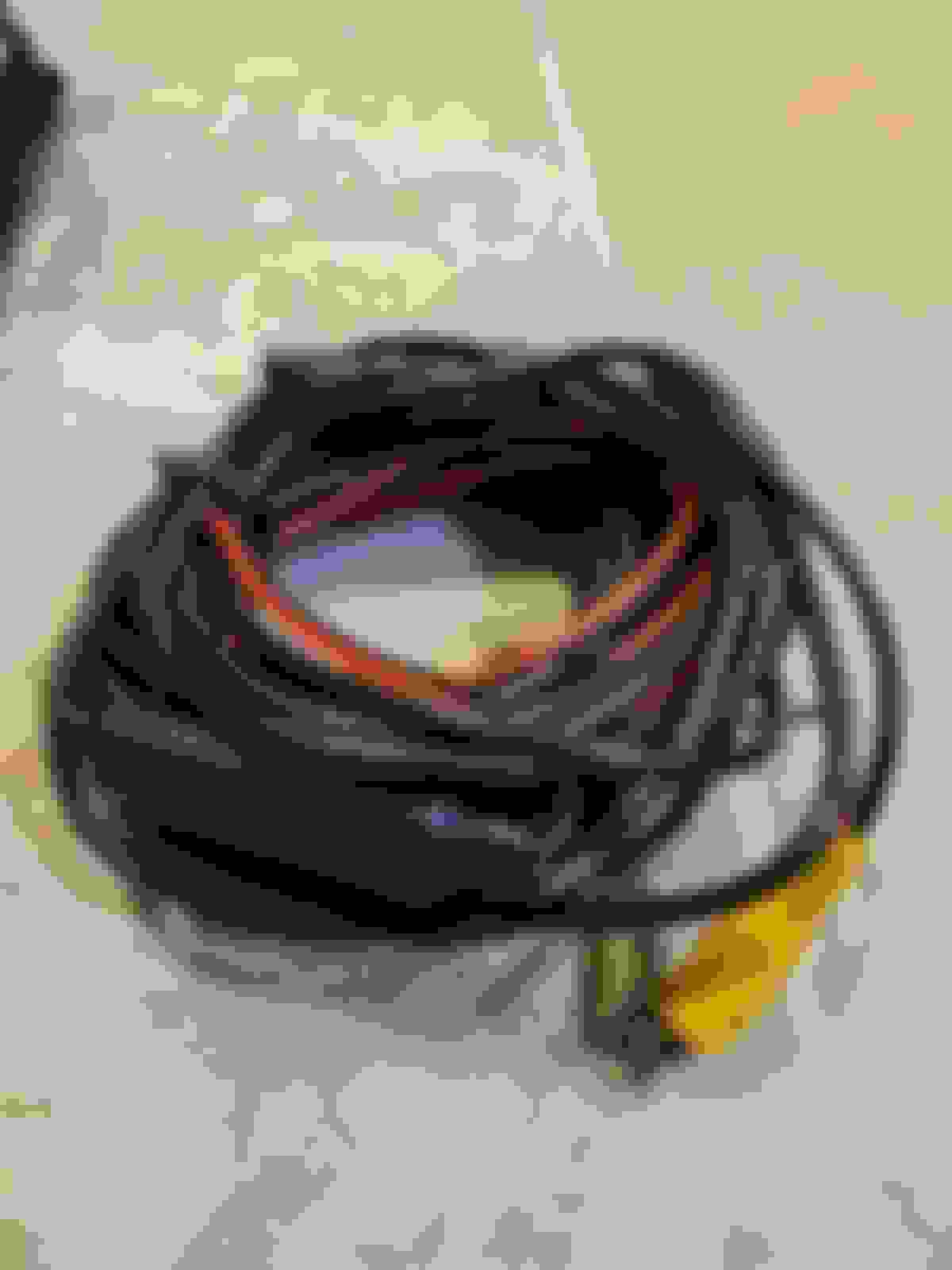
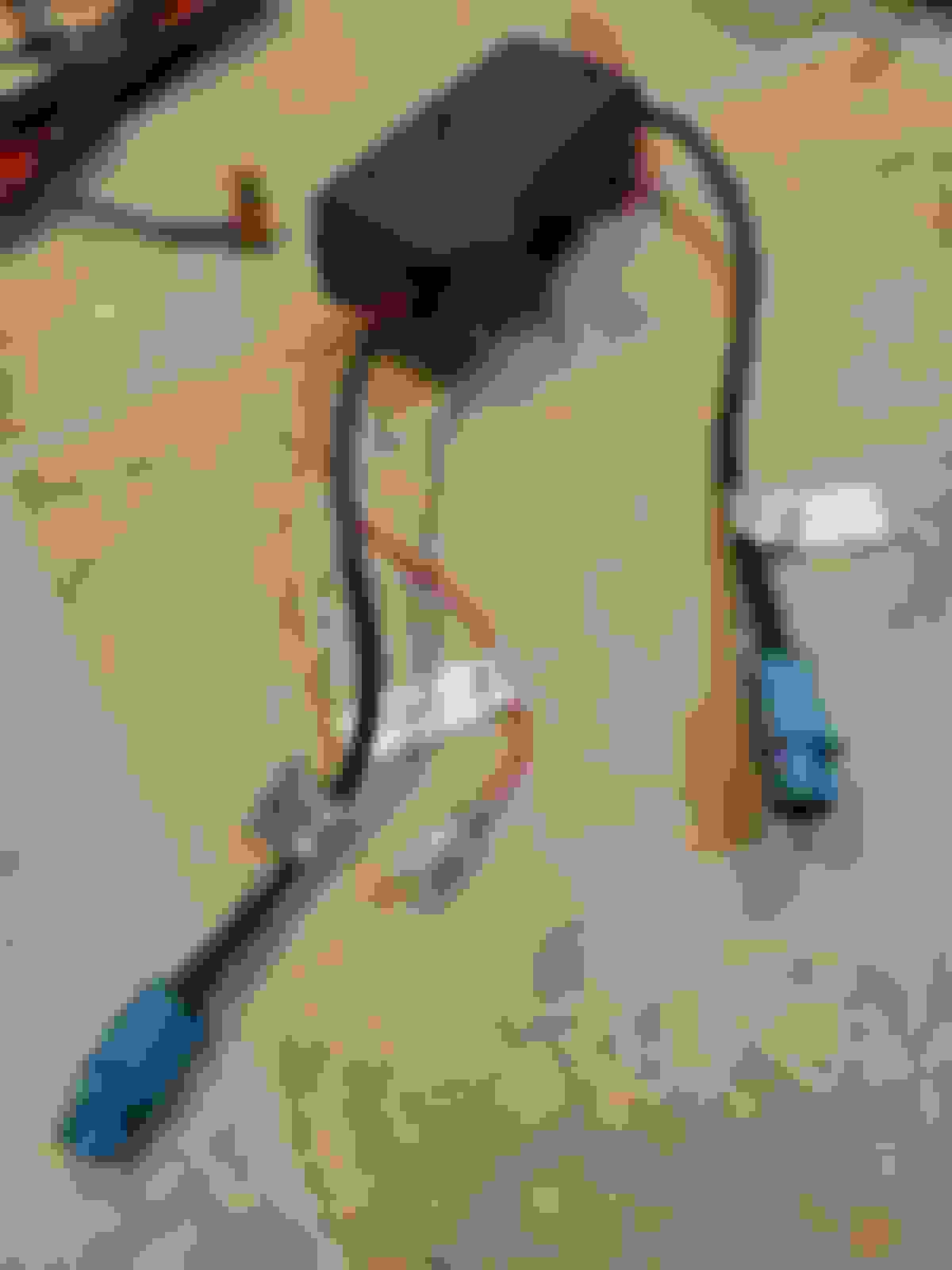
Attached are the wires I received with the unit. I have a ipod cable in the dashboard. Can't see the other side of the cable will have to open the dashboard. Car has TV function.
I just bought one of these from Amazon and installed it in about 2 hours. Very easy, although I have done several of these so I'm familiar with the most system, getting into the dash, etc.
My question is- has anyone figured out how to change that climate control popup from Celsius to Fahrenheit? Support is happy to answer my questions when it comes to wiring but is silent on this one. Very annoying when everything else works so well.
Have you checked in the factory menu of the headunit? I know mines shows fahrenheit.
I just installed the MekedeTech 10.25" unit from amazon (link below) last weekend. I like that it has a 10.25" screen vs the 8" on other units. You have to lose the controls between the gauge cluster and screen though. It comes with a cable so you can mount that control bar elsewhere, I ran it to the glovebox and plugged it in there. The instructions were nonexistent with the exception of a troubleshooting printout, but if you have ever installed a car radio before, you can get this thing installed in about two hours. The hardest part was running the wires up to the display from the central radio unit and over to the glove box. Boy Merc makes a sold car. The wireless car play works flawlessly, the factory backup camera works, I can drop back into the iDrive system (whatever Mercedes calls their version) and have all of the same controls that I had access to before the installation. It was a very plug-and-play installation.
I just purchased and installed the latest Android 12 8GB/256GB android unit from Mekede / Navifly. To say that I'm underwhelmed is an understatement.
First, as we all have seen, virtually none of the Chinese systems come with any sort of instructions.
After removing the original OEM screen, you reuse one of the plugs for the LVDS connection; you remove the fiber optic cables and plug them into their piggyback harness. The unit comes with its own separate speaker, MIC connection, etc.
While the box comes nicely packaged, again, there isn't a single installation video, set of instructions, NOTHING. So for the less able user, this is not an easy install - and I would recommend other vendors that have better documented solutions. Now to the meat of it:
- What CANBUS version to select under the systems menu? While the code to get into engineering mode is 1314, there is nothing that tells me what version of CANBUS to enter. Any help would be welcome.
- None of the CANBUS displays work - not speed, not anything else. Sure, there are screens that would tell you speed, RPM, etc...but none of them are receiving any input.
- The GPS signal is entirely confused. THE PASS THROUGH DOESN'T WORK. While this is supposed to be a passthrough device for the OEM GPS, there is no real time usable OEM GPS from the original COMAND system. Sure, the screen is there, but it doesn't display your real live location. It's delayed, it lags and it simply doesn't work.
- While at first APPLE IPHONE as a system was apparently live mirroring, once the carplay SEED installed, that was it - no live mirroring.
- The SIM card reception is entirely intermittent to the point of uselessness
- The joystick doesn't work
- If you select the wrong GPS enablement button, you're stuck in one of the android screens unable to go back to the NTG screen
None of the individuals at Navifly / Mekede support listed on their Chinese page reply - not by phone, not by email, not by QQ, What's app, etc.
So in my opinion, this was a well wasted amount of money - some of the other vendors that provide solutions earn their salt by troubleshooting these issues, providing better documentation, etc.
If any of you can help who had experience installing these android boxes could lend some advice, I'd appreciate it.
Thank you!
hello, were you able to resolve your problems? before i saw your post i bought a unit on amazon from mekede, and am in the process of returning it. I also just orderd a replacement from another vendor who initially was attempting to help me trouble shoot the mekede unit. will see if theirs is any better.
I just installed the MekedeTech 10.25" unit from amazon (link below) last weekend. I like that it has a 10.25" screen vs the 8" on other units. You have to lose the controls between the gauge cluster and screen though. It comes with a cable so you can mount that control bar elsewhere, I ran it to the glovebox and plugged it in there. The instructions were nonexistent with the exception of a troubleshooting printout, but if you have ever installed a car radio before, you can get this thing installed in about two hours. The hardest part was running the wires up to the display from the central radio unit and over to the glove box. Boy Merc makes a sold car. The wireless car play works flawlessly, the factory backup camera works, I can drop back into the iDrive system (whatever Mercedes calls their version) and have all of the same controls that I had access to before the installation. It was a very plug-and-play installation. https://www.amazon.com/gp/product/B0...0?ie=UTF8&th=1
i have the same unit, have you had a chance to use it more? mine occasionally will have no call audio in carplay mode. but yesterday was fine lol, how was your support?
Exactly! The audio quality is superb.
I have an iFi Audio - Nano iOne. With a very short audio cable. I routed both of the USB connectors into the glove box. One I use for the DAC the other for Carplay (with a dongle).
do you have any pictures of your setup? i tried a usb dac which seems to work ok, but at every power cycle i have to go in to android audio and manually set the volume up otherwise i cannot hear anything.
thanks again for the useful information
Looking at getting the Android 11/8+256GB unit with 1920x720 display. Looks great. But how is fit and finish? I notice in some videos there seem to be gaps where the control strip used to be and that might mess with my OCD lol. For those with this unit installed, how noticeable/visible are these gaps, do you just get used to/ignore them?
Also considering the Joyeauto Wireless CarPlay module as well (seems less complicated to install). Out of curiosity, does anyone know the resolution of the 8" 16x9 OEM COMAND display? I saw screenshots of CarPlay on the OEM screen and it looks surprisingly good for 15yo LCD tech.
Mercedes SLR McLaren 722 S Is Extremely Rare Example Modified by McLaren
Slideshow: A one-of-one U.S.-spec Mercedes-Benz SLR McLaren Roadster became even rarer after a factory-backed transformation at McLaren's headquarters.