







The title is somewhat misleading.
What most people characterize as scratching of the screen is actually a scratching of the anti-glare coating that is applied to the screen.
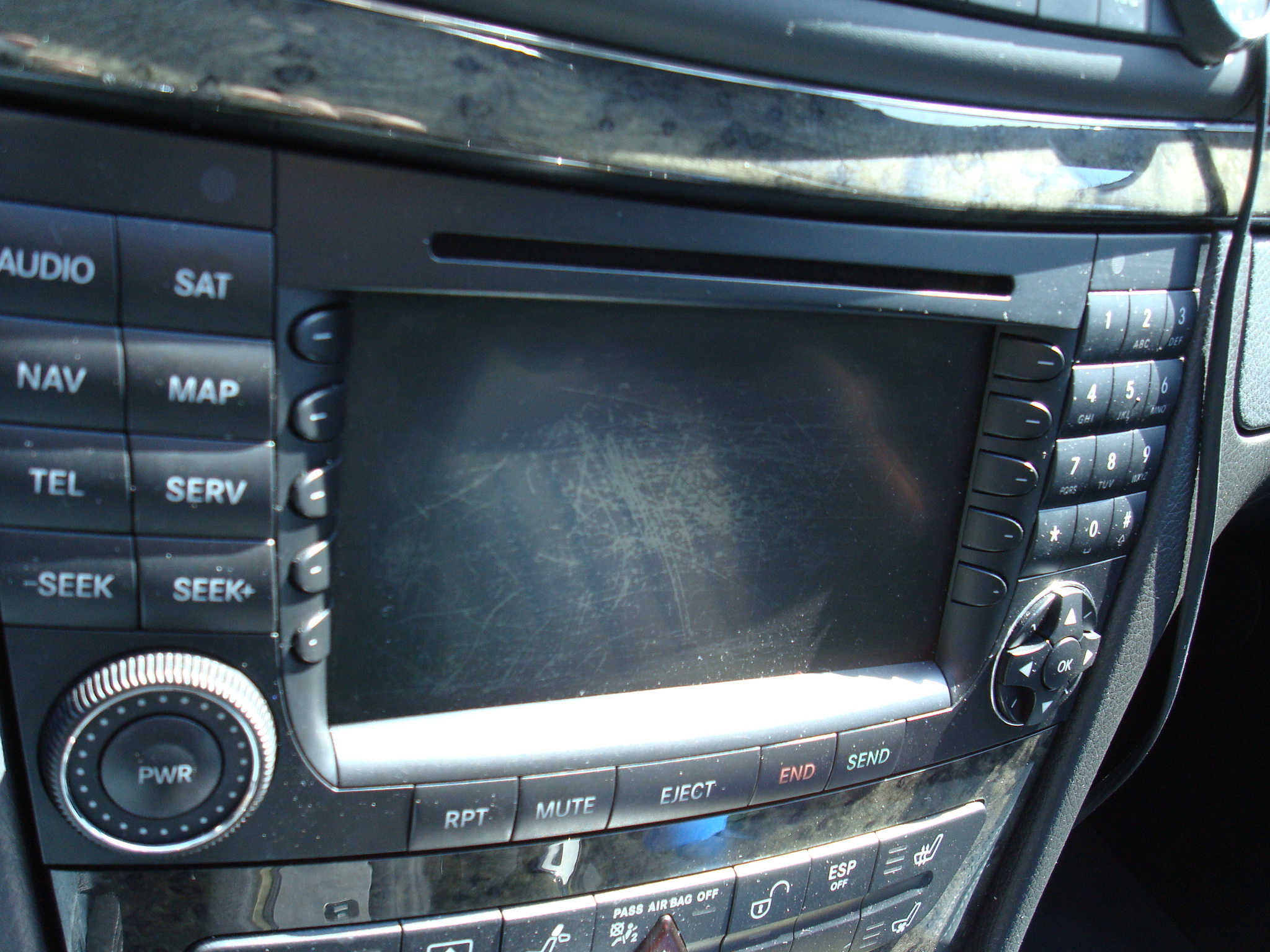
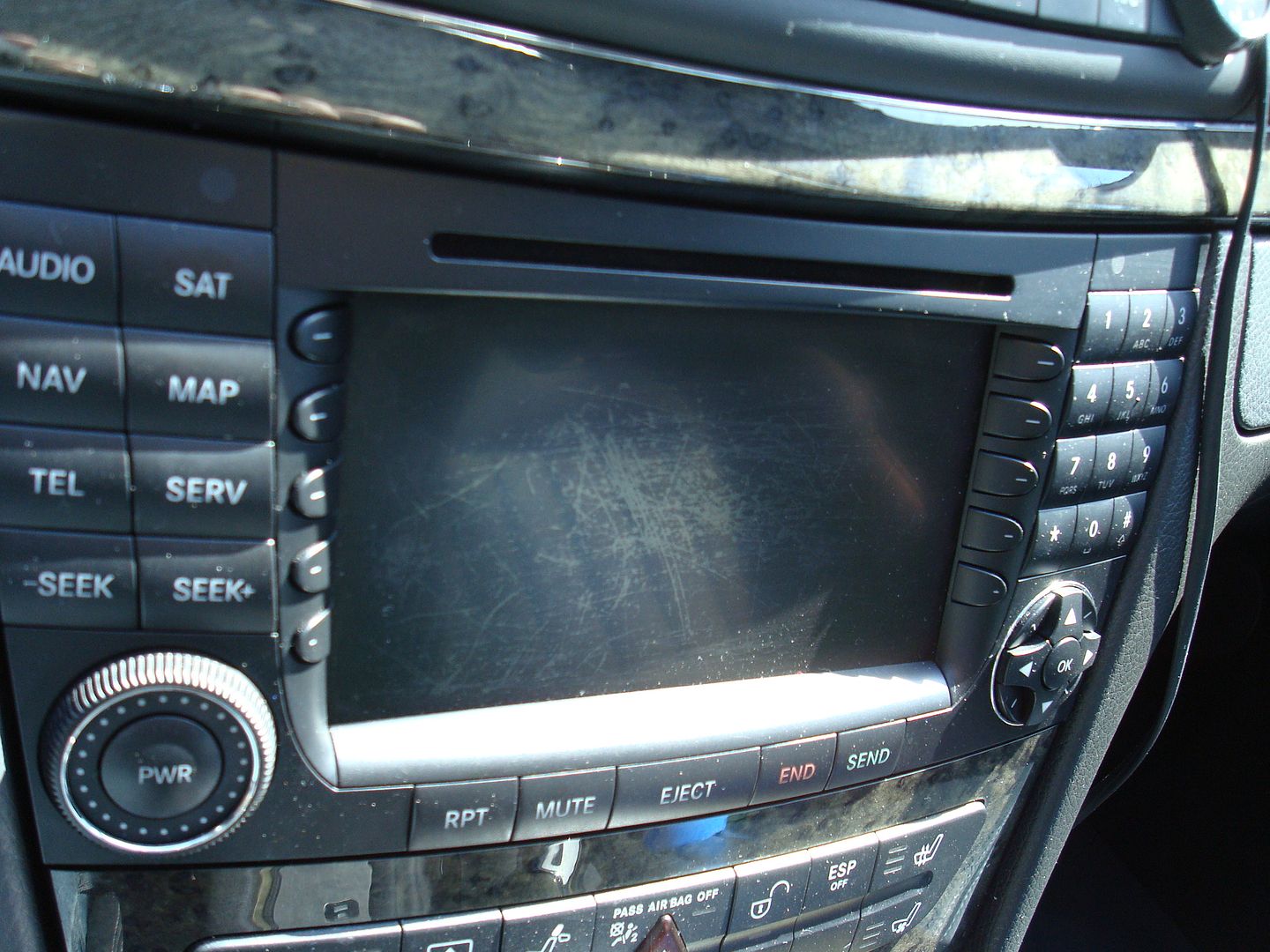
Either way, a careless P.O. used some sort of abrasive or overly-aggressive cleaner on the screen and the result is a screen that looked like this:
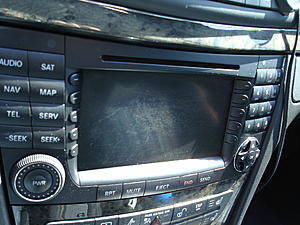
After a few moments spent on this site and the search function, I found a thread that insisted that this fix was dead-simple and easy to do. The concept was simply to find a gentle cleaner that would remove the remainder of the anti-glare coating from the COMAND screen and give it a uniform appearance.
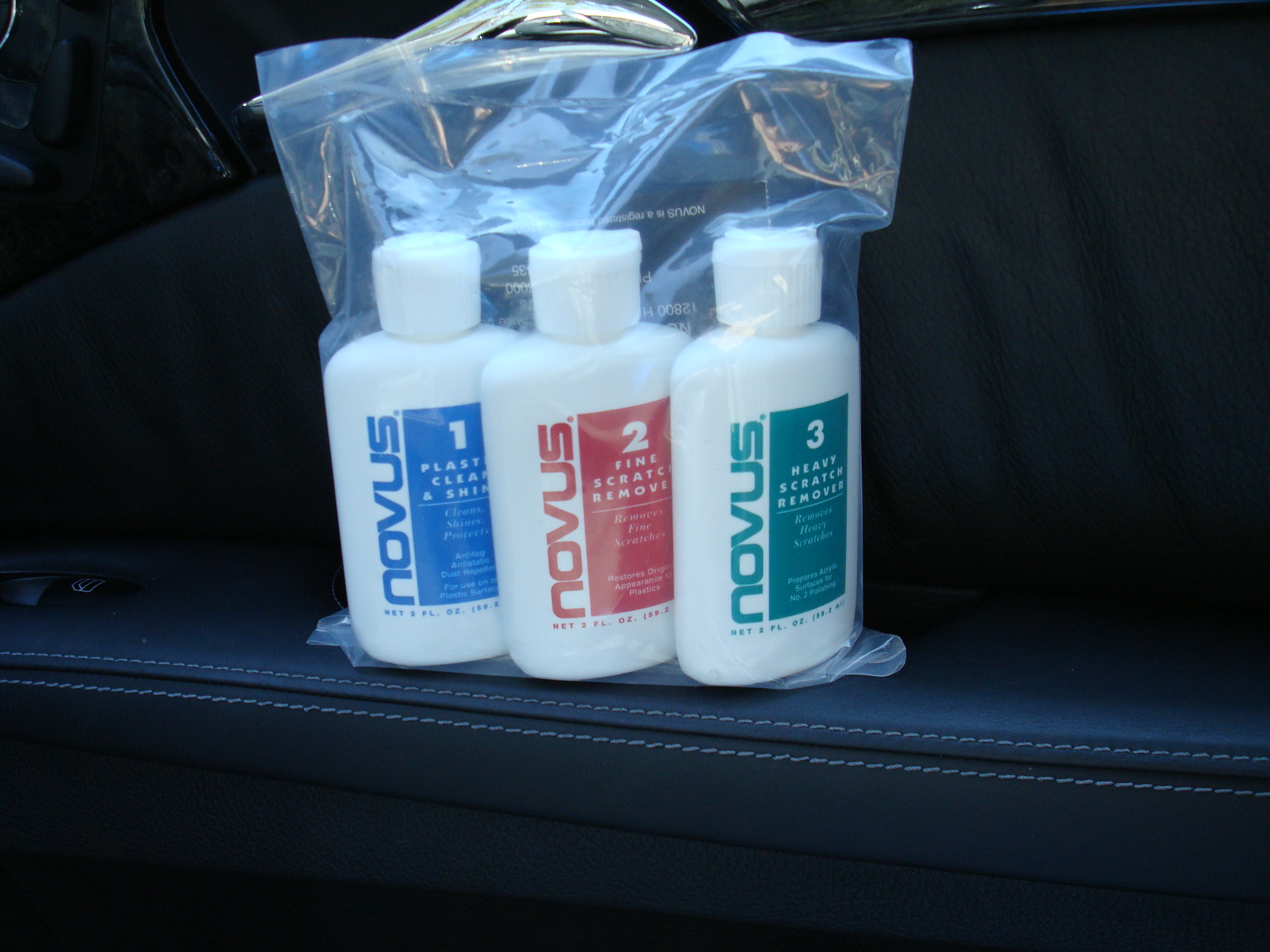
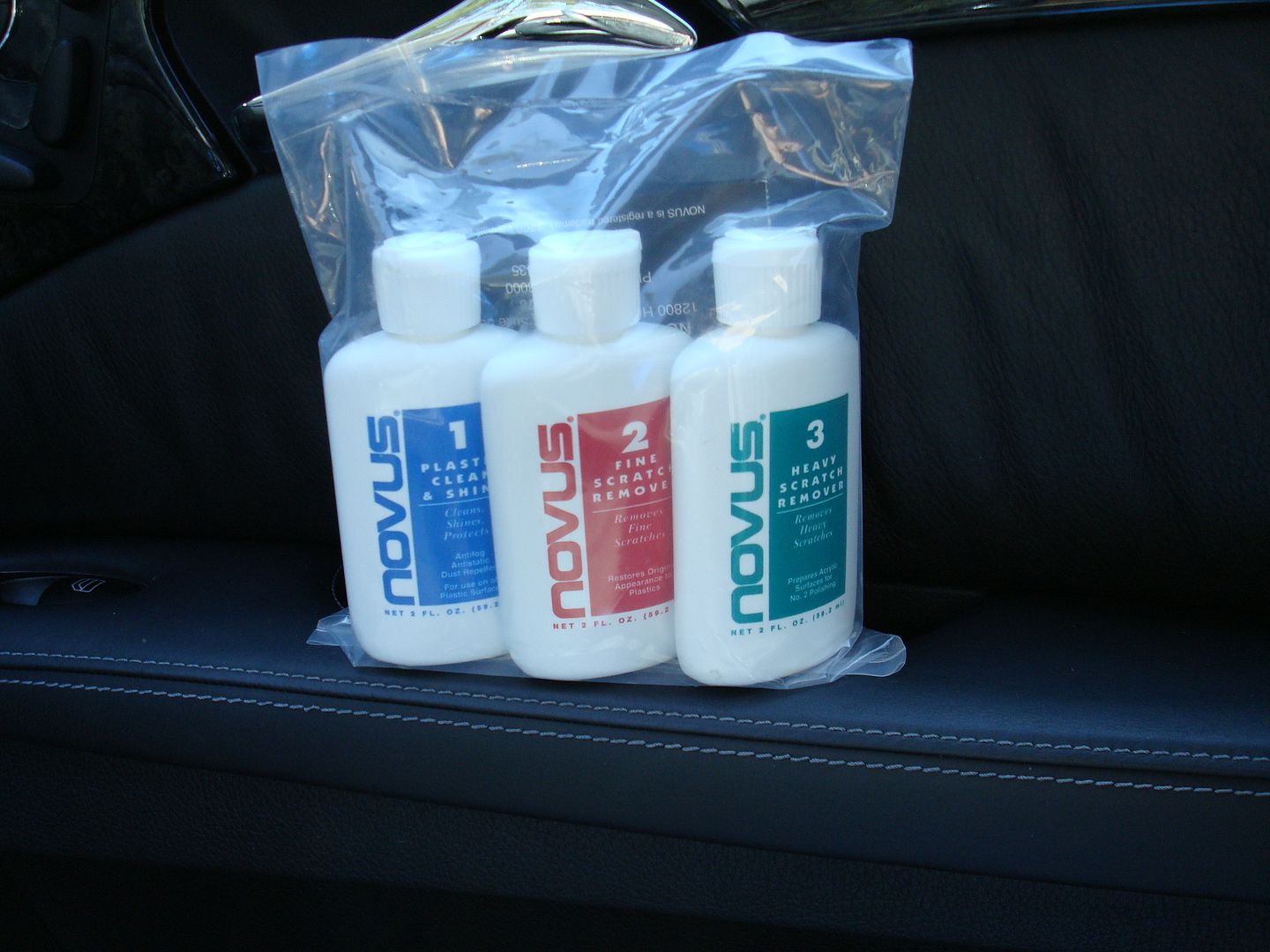
I bought this package for less than $10 from Amazon.com
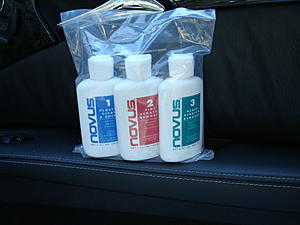
OK, Let's begin.... this process is quick and you will literally spend less than 15 minutes completing this repair.
STEP 1: Tape off the surrounding area to prevent getting the cleaners in the crevices where they are not wanted. Start with the #2 Scratch remover...shake well and apply a small dab to a lint-free cloth. The kit I purchased actually included a few cloths with it, but any microfiber cloth would be fine. The smaller the better, so you can get into the small corners, etc.
Polish the screen with gentle pressure, and work your way around the screen until the anti-glare coating is removed completely. Flip the cloth or use a clean corner to clear away the haze as the polish dries...
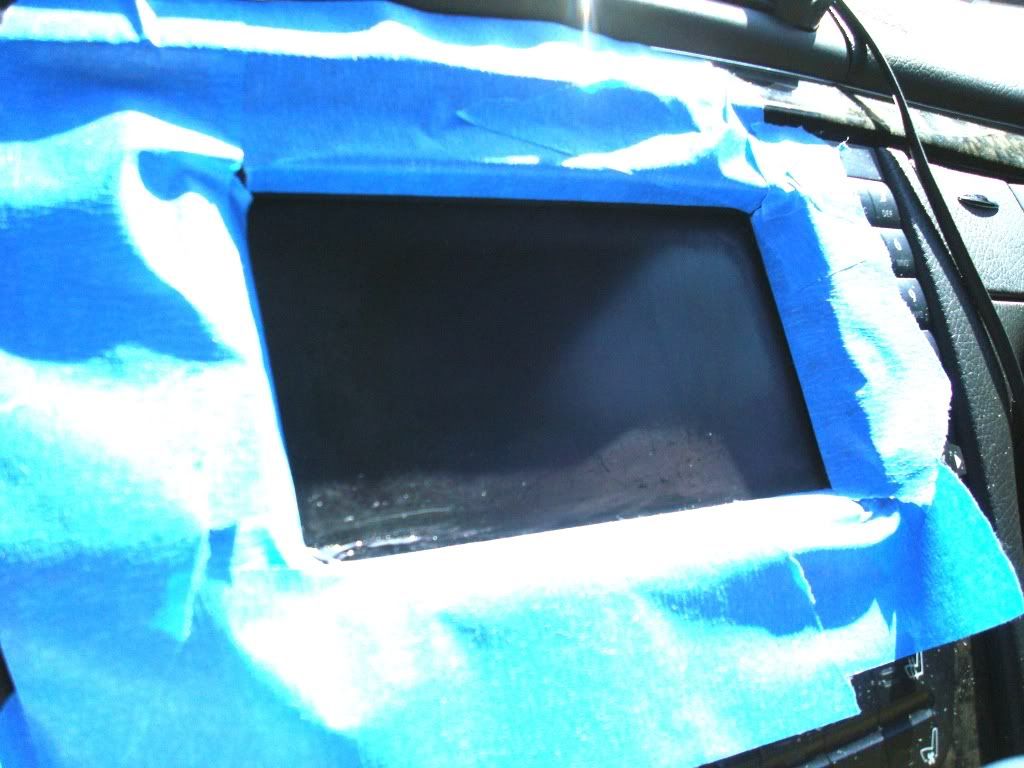
Here is an "in process" shot....most of the screen has been polished, but you can still see the anti-glare coating in a band across the lower 1" of the screen.
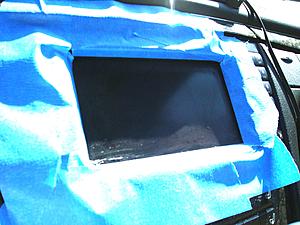
STEP 2: Once you have removed all of the anti-glare coating and polish residue, you can follow up with the #1 Clean & Shine. This one is much more runny and seems to be more like a protective top coat, so most of the real "work" happened in the previous polishing step.
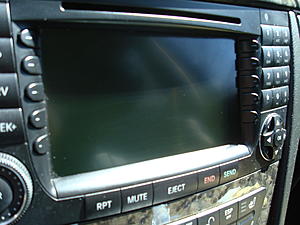
The result is much nicer. All of the scratches are gone, and the screen has a nice uniform look. When powered-up, it seems that the image is noticeably brighter as well. I suppose there may be instances where the screen may be less visible in direct sunlight, but when the COMAND screen is awash with sunlight, no amount of anti-glare coating is going to make it readable.
That's it! This isn't exactly hardcore "tech" but I figured that since this site has already provided me with plenty of answers and information I'd give back in some small way with a project that will probably help a lot of other folks.
It is an easy process to do, and it really helps to freshen-up the look of the screen and keep the interior looking new.
-G
What most people characterize as scratching of the screen is actually a scratching of the anti-glare coating that is applied to the screen.
Either way, a careless P.O. used some sort of abrasive or overly-aggressive cleaner on the screen and the result is a screen that looked like this:
After a few moments spent on this site and the search function, I found a thread that insisted that this fix was dead-simple and easy to do. The concept was simply to find a gentle cleaner that would remove the remainder of the anti-glare coating from the COMAND screen and give it a uniform appearance.
I bought this package for less than $10 from Amazon.com
OK, Let's begin.... this process is quick and you will literally spend less than 15 minutes completing this repair.
STEP 1: Tape off the surrounding area to prevent getting the cleaners in the crevices where they are not wanted. Start with the #2 Scratch remover...shake well and apply a small dab to a lint-free cloth. The kit I purchased actually included a few cloths with it, but any microfiber cloth would be fine. The smaller the better, so you can get into the small corners, etc.
Polish the screen with gentle pressure, and work your way around the screen until the anti-glare coating is removed completely. Flip the cloth or use a clean corner to clear away the haze as the polish dries...
Here is an "in process" shot....most of the screen has been polished, but you can still see the anti-glare coating in a band across the lower 1" of the screen.

STEP 2: Once you have removed all of the anti-glare coating and polish residue, you can follow up with the #1 Clean & Shine. This one is much more runny and seems to be more like a protective top coat, so most of the real "work" happened in the previous polishing step.
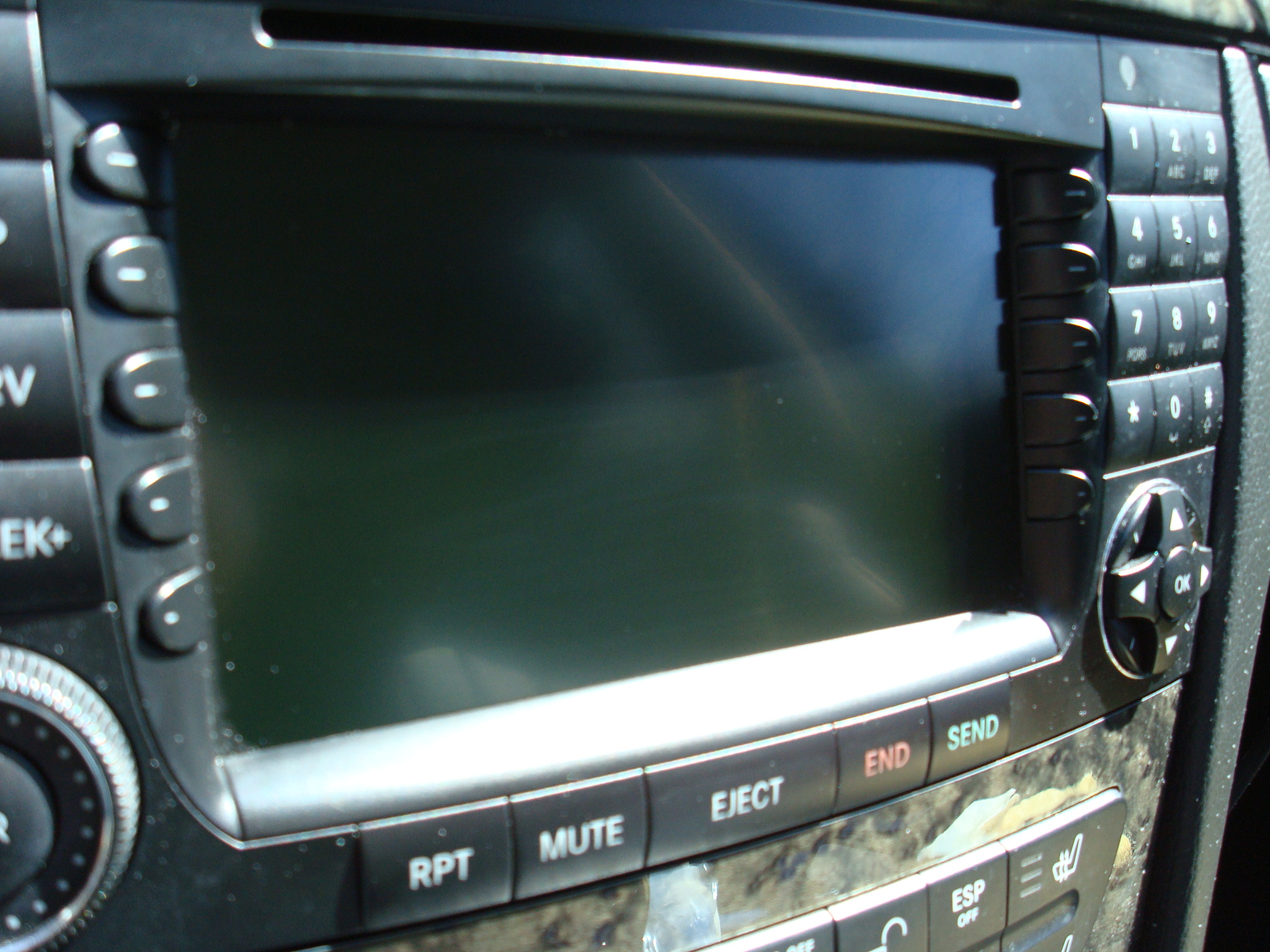
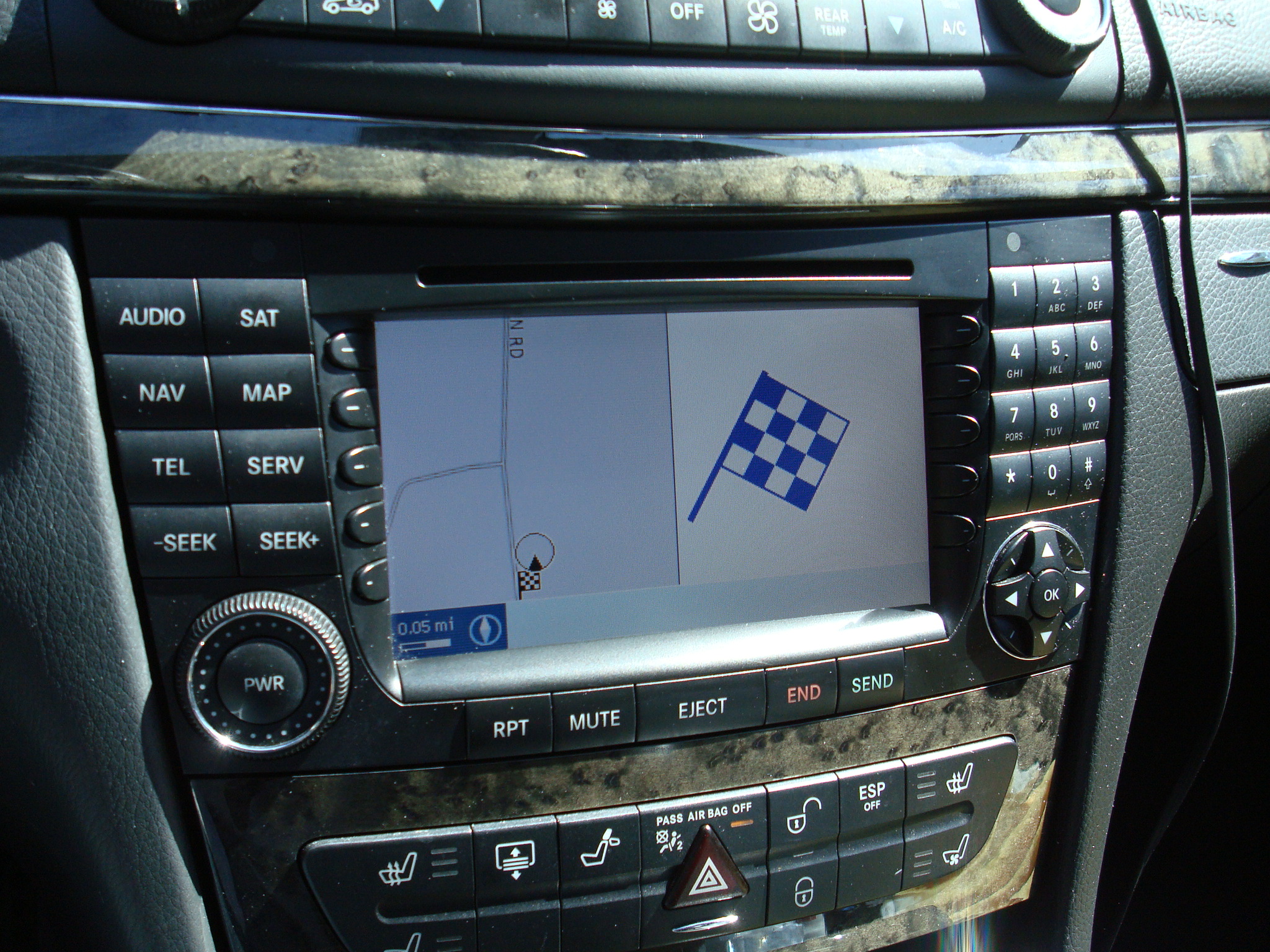
The result is much nicer. All of the scratches are gone, and the screen has a nice uniform look. When powered-up, it seems that the image is noticeably brighter as well. I suppose there may be instances where the screen may be less visible in direct sunlight, but when the COMAND screen is awash with sunlight, no amount of anti-glare coating is going to make it readable.
That's it! This isn't exactly hardcore "tech" but I figured that since this site has already provided me with plenty of answers and information I'd give back in some small way with a project that will probably help a lot of other folks.
It is an easy process to do, and it really helps to freshen-up the look of the screen and keep the interior looking new.
-G

Senior Member
Nice writeup. My screen is still in good shape...but good to know if it gets that way.
Thanks.
Bill
Thanks.
Bill

Super Member
great job

MBWorld Fanatic!
awesome!! the fine stratches I see on my screen when the sun hits it directly is very annoying....I think I will give this a try!

MBWorld Fanatic!
I'll be doing this! thanks!

The question is,how do you prevent the screen from getting scratched though ?
MB World Stories
The Best of Mercedes & AMG
Explore

Manual Mercedes? 6 Times Sindelfingen Let Drivers Have All The Fun
Verdad Gallardo
Mercedes SLR McLaren 722 S Is Extremely Rare Example Modified by McLaren
Verdad Gallardo
8 Classic Boxy Mercedes Designs That Have Aged Like Fine Wine
Verdad Gallardo
Flawlessly Restored Mercedes 190E Evo II Heads to Auction
Verdad Gallardo
Electric Mercedes C-Class Unveiled: 11 Things You Need to Know
Verdad Gallardo
Mercedes EQS Gets A Major Update: Everything You Need to Know
Verdad Gallardo
5 Underrated Mercedes-Benz Models That Don't Get the Love They Deserve
Verdad Gallardo
Mercedes 300D Has Pushed Well Past 1 Million Miles and It Ain't Stopping
Verdad Gallardo
10 Most Reliable Mercedes-Benz Models You Can Buy Used
Verdad Gallardo
Newbie
ZAAG makes its popular invisibleSHEILD commonly used on iPods and cell phones available for COMAND.
http://www.amazon.com/ZAGG-invisible.../dp/B0013NBOUS
http://www.amazon.com/ZAGG-invisible.../dp/B0013NBOUS
Quote:
Originally Posted by Faast
The question is,how do you prevent the screen from getting scratched though ?
The COMAND system is not a touch screen system....... Stop touching the screen!

No need to add an anti-glare or scratch protector overlay to the screen either IMHO. I've been driving the car with the antiglare coating removed for several weeks now and don't miss it one bit.
-G


Quote:
No need to add an anti-glare or scratch protector overlay to the screen either IMHO. I've been driving the car with the antiglare coating removed for several weeks now and don't miss it one bit.
-G
Thats because we haven't had any sun for a couple weeks now lolOriginally Posted by GregMB
The COMAND system is not a touch screen system....... Stop touching the screen! No need to add an anti-glare or scratch protector overlay to the screen either IMHO. I've been driving the car with the antiglare coating removed for several weeks now and don't miss it one bit.
-G

Member
How did you polish the corners and sides of the screen? With a lineal movement? It recommends to do round movements. I've done this with the same product and the center of the screen is OK, but the sides and corners look awful as they are not polished at all and have different color

Banned
Hello All,
I just finished using this product on my CL600 Command Navigation Screen. If you are patient and follow the steps correctly your screen will once again look new. It will take about 30 minutes and never apply too much pressure. The product worked flawlessly.
My Steering Wheel Control Buttons were also in terrible shape. I had thoughts of replacing them, but at a replacement cost of about $200.00 and taking apart the entire wheel was not a good option for me. I purchased Goo Gone. I used a clean and soft microfiber cloth and saturated one corner of it with the Goo Gone. I worked the product over each button, holding the button down at the corner to stop it from moving back and forth.
My car is a 2003 Cl600 so I had almost a decade of sticky build-up on those buttons. Again, your patience will pay off. I used about a quarter of the bottle of Goo Gone and 30 minutes of elbow grease. I removed the excess Goo Gone, and completely dried the buttons. I then applied Novus #1, to clean and polish the buttons. The buttons are now like new. I greatly appreciate all the posts on this site, they have helped me greatly.
Happy New Year to everyone.
Anthony
I just finished using this product on my CL600 Command Navigation Screen. If you are patient and follow the steps correctly your screen will once again look new. It will take about 30 minutes and never apply too much pressure. The product worked flawlessly.
My Steering Wheel Control Buttons were also in terrible shape. I had thoughts of replacing them, but at a replacement cost of about $200.00 and taking apart the entire wheel was not a good option for me. I purchased Goo Gone. I used a clean and soft microfiber cloth and saturated one corner of it with the Goo Gone. I worked the product over each button, holding the button down at the corner to stop it from moving back and forth.
My car is a 2003 Cl600 so I had almost a decade of sticky build-up on those buttons. Again, your patience will pay off. I used about a quarter of the bottle of Goo Gone and 30 minutes of elbow grease. I removed the excess Goo Gone, and completely dried the buttons. I then applied Novus #1, to clean and polish the buttons. The buttons are now like new. I greatly appreciate all the posts on this site, they have helped me greatly.
Happy New Year to everyone.
Anthony
Quote:
What most people characterize as scratching of the screen is actually a scratching of the anti-glare coating that is applied to the screen.
Either way, a careless P.O. used some sort of abrasive or overly-aggressive cleaner on the screen and the result is a screen that looked like this:
After a few moments spent on this site and the search function, I found a thread that insisted that this fix was dead-simple and easy to do. The concept was simply to find a gentle cleaner that would remove the remainder of the anti-glare coating from the COMAND screen and give it a uniform appearance.
I bought this package for less than $10 from Amazon.com
OK, Let's begin.... this process is quick and you will literally spend less than 15 minutes completing this repair.
STEP 1: Tape off the surrounding area to prevent getting the cleaners in the crevices where they are not wanted. Start with the #2 Scratch remover...shake well and apply a small dab to a lint-free cloth. The kit I purchased actually included a few cloths with it, but any microfiber cloth would be fine. The smaller the better, so you can get into the small corners, etc.
Polish the screen with gentle pressure, and work your way around the screen until the anti-glare coating is removed completely. Flip the cloth or use a clean corner to clear away the haze as the polish dries...
Here is an "in process" shot....most of the screen has been polished, but you can still see the anti-glare coating in a band across the lower 1" of the screen.
STEP 2: Once you have removed all of the anti-glare coating and polish residue, you can follow up with the #1 Clean & Shine. This one is much more runny and seems to be more like a protective top coat, so most of the real "work" happened in the previous polishing step.
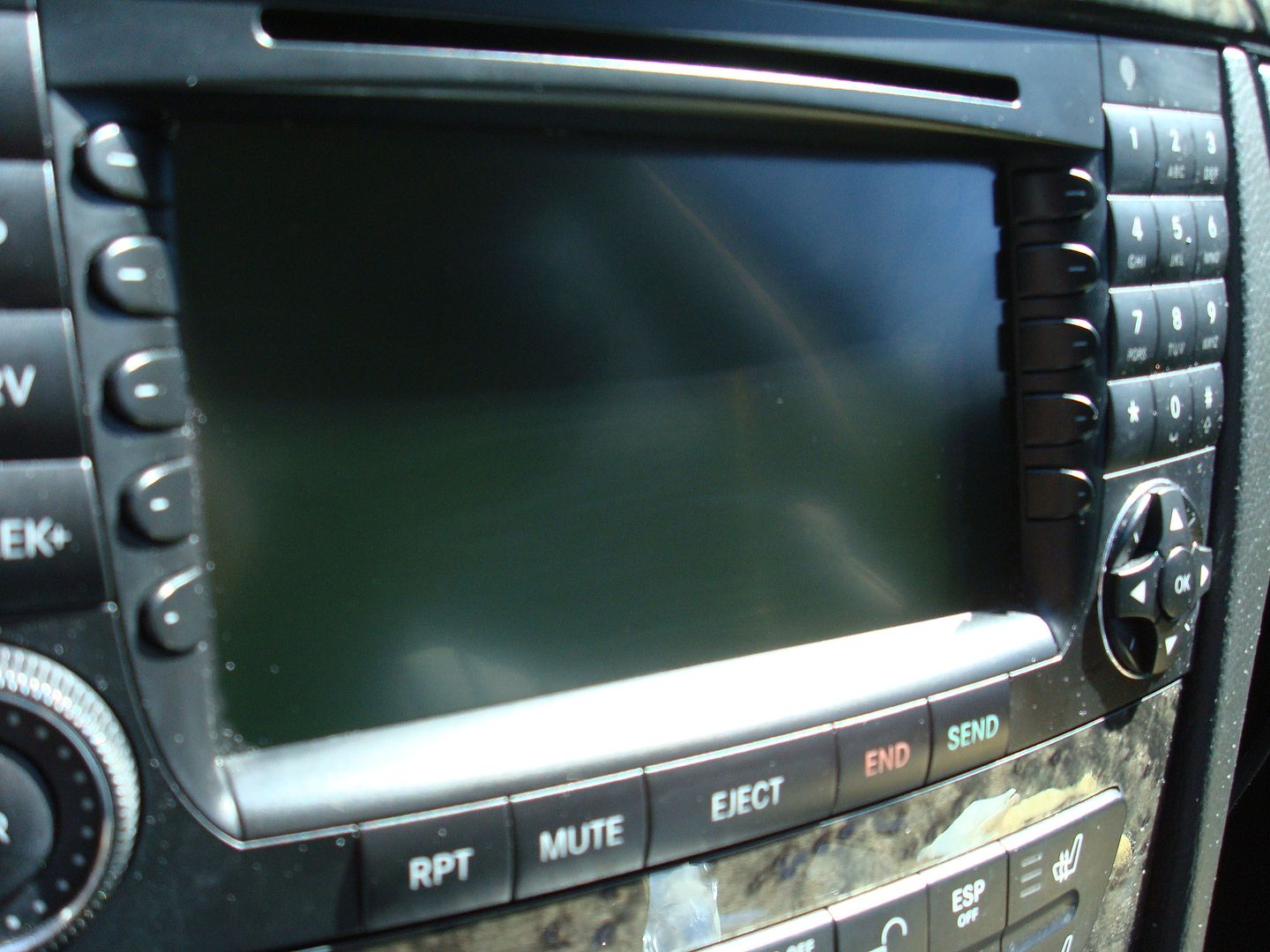
The result is much nicer. All of the scratches are gone, and the screen has a nice uniform look. When powered-up, it seems that the image is noticeably brighter as well. I suppose there may be instances where the screen may be less visible in direct sunlight, but when the COMAND screen is awash with sunlight, no amount of anti-glare coating is going to make it readable.
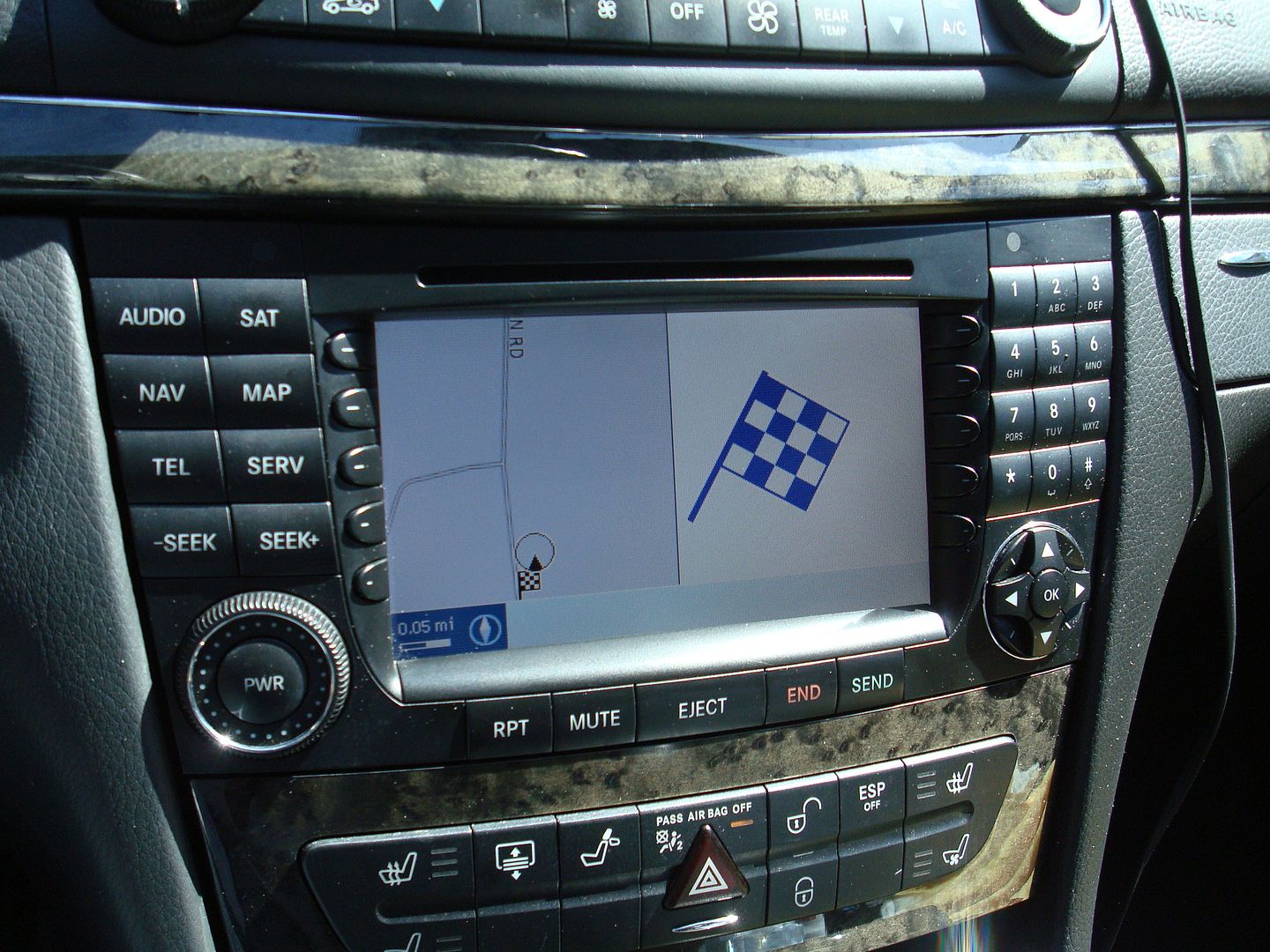
That's it! This isn't exactly hardcore "tech" but I figured that since this site has already provided me with plenty of answers and information I'd give back in some small way with a project that will probably help a lot of other folks.
It is an easy process to do, and it really helps to freshen-up the look of the screen and keep the interior looking new.
-G
Originally Posted by GregMB
The title is somewhat misleading. What most people characterize as scratching of the screen is actually a scratching of the anti-glare coating that is applied to the screen.
Either way, a careless P.O. used some sort of abrasive or overly-aggressive cleaner on the screen and the result is a screen that looked like this:
After a few moments spent on this site and the search function, I found a thread that insisted that this fix was dead-simple and easy to do. The concept was simply to find a gentle cleaner that would remove the remainder of the anti-glare coating from the COMAND screen and give it a uniform appearance.
I bought this package for less than $10 from Amazon.com
OK, Let's begin.... this process is quick and you will literally spend less than 15 minutes completing this repair.
STEP 1: Tape off the surrounding area to prevent getting the cleaners in the crevices where they are not wanted. Start with the #2 Scratch remover...shake well and apply a small dab to a lint-free cloth. The kit I purchased actually included a few cloths with it, but any microfiber cloth would be fine. The smaller the better, so you can get into the small corners, etc.
Polish the screen with gentle pressure, and work your way around the screen until the anti-glare coating is removed completely. Flip the cloth or use a clean corner to clear away the haze as the polish dries...
Here is an "in process" shot....most of the screen has been polished, but you can still see the anti-glare coating in a band across the lower 1" of the screen.
STEP 2: Once you have removed all of the anti-glare coating and polish residue, you can follow up with the #1 Clean & Shine. This one is much more runny and seems to be more like a protective top coat, so most of the real "work" happened in the previous polishing step.
The result is much nicer. All of the scratches are gone, and the screen has a nice uniform look. When powered-up, it seems that the image is noticeably brighter as well. I suppose there may be instances where the screen may be less visible in direct sunlight, but when the COMAND screen is awash with sunlight, no amount of anti-glare coating is going to make it readable.
That's it! This isn't exactly hardcore "tech" but I figured that since this site has already provided me with plenty of answers and information I'd give back in some small way with a project that will probably help a lot of other folks.
It is an easy process to do, and it really helps to freshen-up the look of the screen and keep the interior looking new.
-G

Thanks for the insight with the buttons! I will have to do this with mine...

Senior Member
Greg-
Thanks for the post. This is exactly what I need. Not sure what the previous owner did with the screen, but it looks exactly like how yours did.
Can't wait for the products to show up so I can get the same results you did.
Thanks for sharing.
Thanks for the post. This is exactly what I need. Not sure what the previous owner did with the screen, but it looks exactly like how yours did.
Can't wait for the products to show up so I can get the same results you did.
Thanks for sharing.

Junior Member
Another success story following this procedure. I ruined my AR coating after getting oil on the screen and failed to clean it properly.
I used a soft credit card with no embossed numbers to get into all the edges and corners. I took me about 1.5 hours to polish out every little bit of the AR coating. Finishing with the Novus #1 really does finish it off. Takes a lot of time to buff out the edges and corners.
I agree that you don't need to add AR coating unless you want to protect the screen and I like the look of the screen better now.
I used a soft credit card with no embossed numbers to get into all the edges and corners. I took me about 1.5 hours to polish out every little bit of the AR coating. Finishing with the Novus #1 really does finish it off. Takes a lot of time to buff out the edges and corners.
I agree that you don't need to add AR coating unless you want to protect the screen and I like the look of the screen better now.


Thank you for the info goin to do mine
MBWorld Fanatic!
Bumping this thread. Just did it on my car. Looks much better. Thanks Greg.

Member
Worked perfectly, was inexpensive and easy to do. Thank you for your detailed post!

Quote:
Yahh yours def needs it, you feel me!!Originally Posted by Manuyc
Thank you for the info goin to do mine
MBWorld Fanatic!
I have plenty extra of the scratch remover if someone in houston wants to borrow it.


Newbie
Hi all
I have an older R230 SL500 with the smaller screen. I noticed that in the middle of the screen has a couple of air bubbles and now when viewed on an angle, the screen its barely visible, it is smeared / white.
However when viewed straight on, its fine. Do you think it iscaused by the anti-glare ?
Best regards,
Shaun
I have an older R230 SL500 with the smaller screen. I noticed that in the middle of the screen has a couple of air bubbles and now when viewed on an angle, the screen its barely visible, it is smeared / white.
However when viewed straight on, its fine. Do you think it iscaused by the anti-glare ?
Best regards,
Shaun
Newbie

MBWorld Fanatic!
Quote:
I'll be out of town most of this week but can meet up next week.Originally Posted by TapeWormZ
i need some sterling....


